



Very Good CLI License Checker
Very Good CLI now supports license checking. Learn how to effortlessly check licenses for your Dart and Flutter packages.
Software is typically subject to one or more licenses that dictate what you can and cannot do with a piece of code. When developing a Dart or Flutter project, you’ll usually end up depending on packages hosted by Dart’s package manager; these are associated with a license.
We highly recommend verifying the health of any new third-party dependency you introduce to your project. Therefore, tracking the rights and restrictions that external dependencies may impose on your project is a crucial part of this verification.
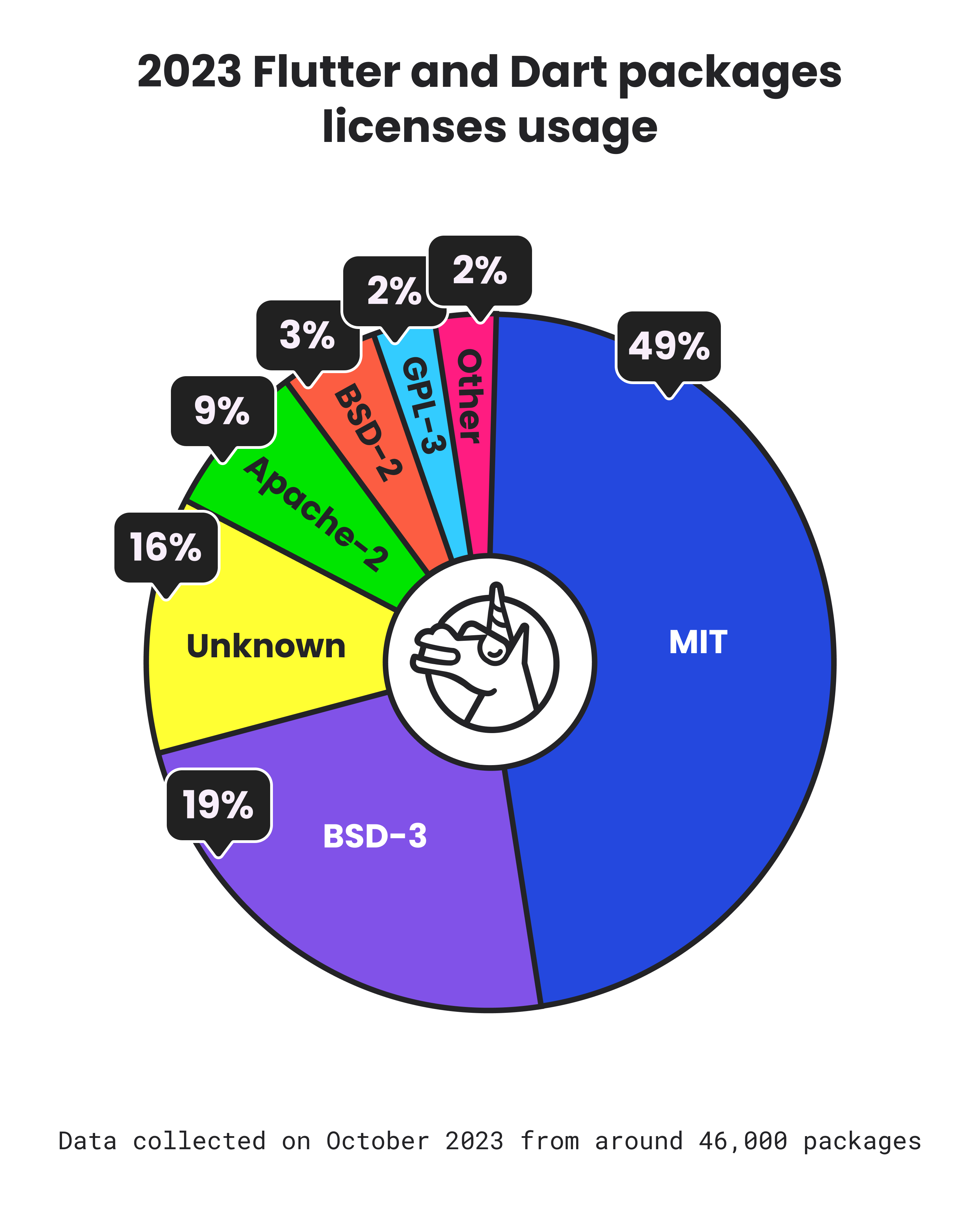 Pie chart is a breakdown of the different license usages from around 46,000 Dart and Flutter packages hosted in pub.dev.
Understanding license detection
In most cases, package developers use a canonical license to govern their software. A comprehensive list of commonly found licenses can be found at the Software Package Data Exchange (SPDX) License list, managed by the SPDX Workgroup a Linux Foundation Project. If your favorite license is not there you can request to get your license added!
Dart’s package manager relies on PANA (short for PAckage aNAlyzer) to determine the license specified by the package author for their published package. It does so by scanning the license text specified by the package developer and comparing it with common licenses. If no confident match is found, it is reported as ‘unknown.’
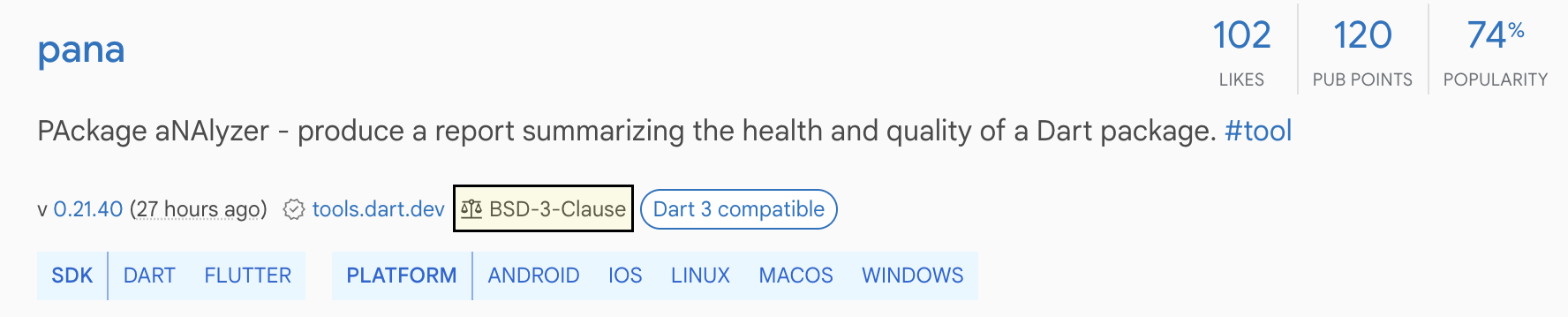 The pana package is shown as a pub.dev search result with its detected BSD-3-Clause license highlighted.
As expected, custom licenses are identified as unknown. However, sometimes a canonical license might be incorrectly formatted or not appropriately recognized by PANA. In those scenarios, we recommend filing an issue so the package owner is aware of the detection failure or directly informing PANA, where appropriate.
“It is important to report these issues, otherwise fixing these won’t get a high priority in the near future” - István Soós, Senior Software Engineer at Google working on PANA
Automating license checking verification
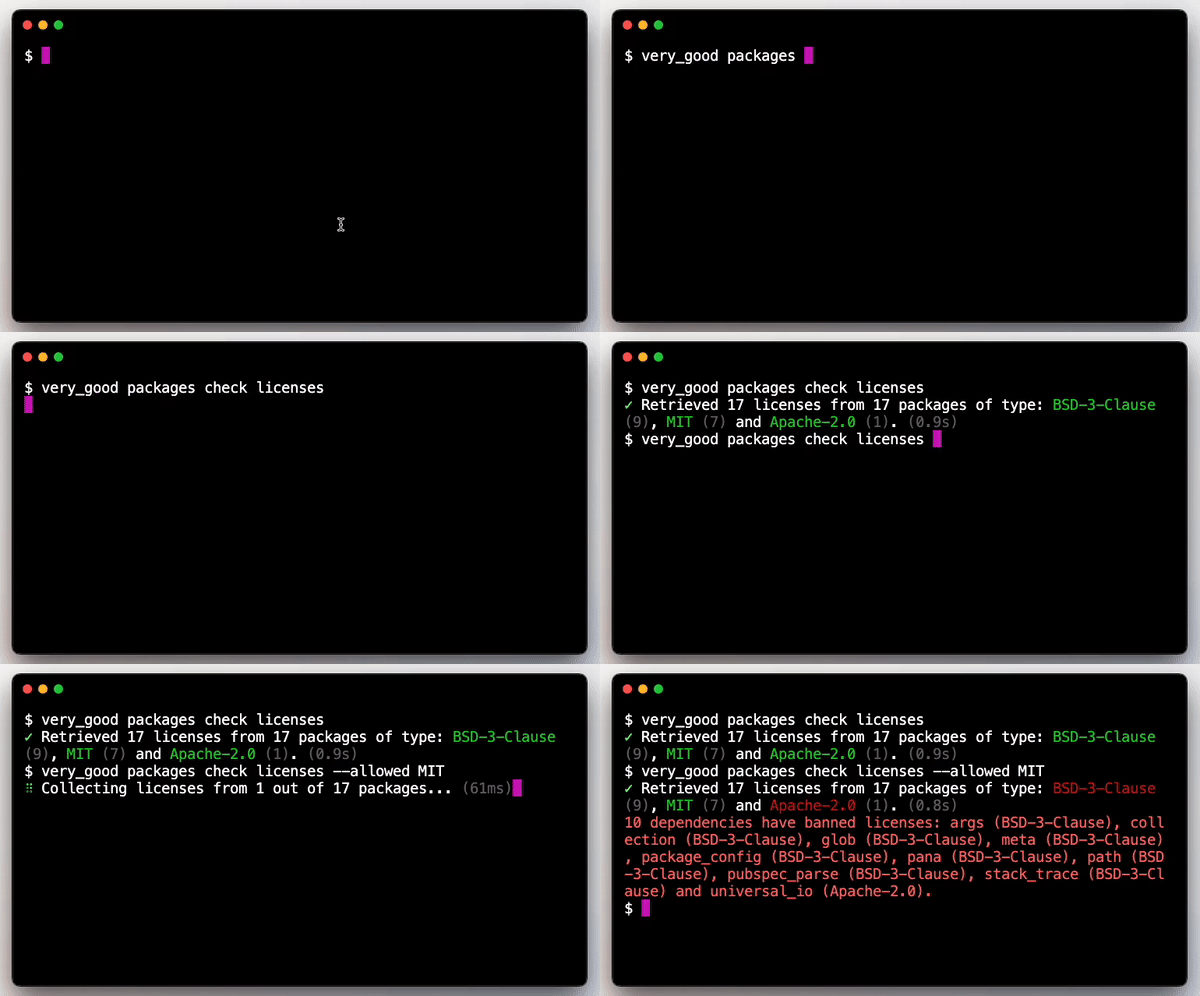 Terminal screen recording showing Very Good CLI’s license checking capabilities
Checking licenses for each dependency individually can be a laborious task. Therefore, Very Good CLI, an open-source command-line interface for generating scalable templates and executing helpful commands, provides a simple and straightforward command to automate this task, starting from version 0.17.0.
After installing Very Good CLI, you can simply run the license checker within your project:
very_good packages check licensesIf you wish to only allow the use of certain licenses, you may use the —allowed option:
very_good packages check licenses --allowed=MIT,BSD-3-Clause

# ✓ Retrieved 6 licenses from 6 packages of type: BSD-3-Clause (3), MIT (1), unknown (1) and Apache-2.0 (1).
# 2 dependencies have banned licenses: html (unknown) and universal_io (Apache-2.0).
There are a few arguments you can pass to the command to tailor its behavior to your specific needs. For example, the —forbidden option denies the use of certain licenses or the —dependency-type specifies the type of dependencies to check licenses for. For a full documentation of all the available options refer to the official Very Good CLI documentation website.
Automating license checking verification with GitHub Workflows
To guarantee the dependencies licenses are always checked it is a very good idea to make this part of your automated development pipeline. If you’re using GitHub we’ve made available a reusable open-source workflow to easily start license checking your dependencies.
You can find more details about this new workflow at the Very Good Workflows documentation; or quickly get started by adding the following license_check.yaml file to your project’s .github/workflows directory.
name: license_check

concurrency:
  group: ${{ github.workflow }}-${{ github.ref }}
  cancel-in-progress: true

on:
  pull_request:
    paths:
      - "pubspec.yaml"
      - ".github/workflows/license_check.yaml"
  push:
    branches:
      - main
    paths:
      - "pubspec.yaml"
      - ".github/workflows/license_check.yaml"

jobs:
  license_check:
uses: VeryGoodOpenSource/very_good_workflows/.github/workflows/license_check.yml@v1Get our insights
Get the next post in your inbox, written by the team that shipped the work.
 From the VGV unicorns