Program management in software and product development lives or dies by the quality of conversations you have with your engineering team. The best ones happen while the work is in flight — not in standup the morning after something shipped, and not in a retrospective two weeks later. They happen in the pull request, while decisions are still being made, while scope is still being shaped, while trade-offs are still on the table.
It turns out that joining those conversations doesn’t require writing code, or even opening a terminal. What it takes is a mental model for how engineers collaborate in GitHub, a handful of vocabulary words, and the confidence to click around a repository on the web UI.
With this post I hope to break down some barriers to illustrate how the development process can be more collaborative across disciplines, written for the next PM who wants in on the work in flight. By the end, you’ll be able to track what’s happening in real time, read a pull request without skimming a single line of code, and engage with engineers as a peer — no need to “herd cats” to get answers, because you’ll be in the discussion.
And make no mistake: you belong in that discussion. As the PM, no one on the team understands the client’s goals more deeply than you do. That perspective is exactly what the pull request is waiting for — and bringing it to the conversation, while the work is still being shaped, is how you make sure the team is building the right thing, the right way.
The Mental Model
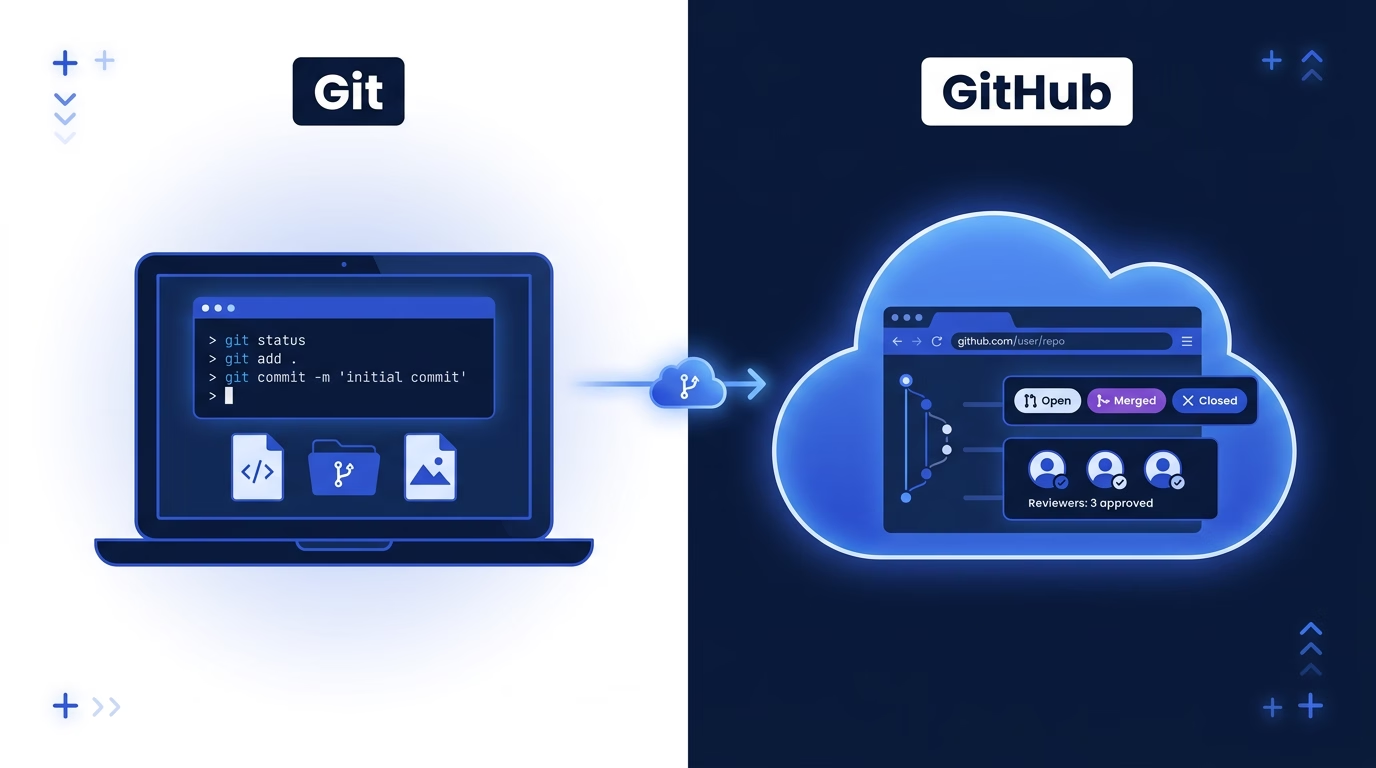
Git is not GitHub
The single most useful thing I learned early on: Git and GitHub are not the same thing. People use the words interchangeably, and that’s where most of the confusion starts.
Git is the tool. GitHub is the workplace where teams use that tool together. As a PM, you’ll spend almost all your time in GitHub — the website — and almost none of it in Git itself.
| Git | GitHub |
|---|---|
| A version control system (the technology) | A platform (the website and company) |
| Runs on an engineer’s computer | Lives in the cloud |
| Tracks every change to every file | Hosts that history online so teams can collaborate |
| Works fine by itself | Adds pull requests, reviews, issues, and project boards |
Once understanding this distinction, two concepts did most of the heavy lifting for me:
A repository (or “repo”) is a project’s entire filing cabinet. Every file, every version, and the full history of changes live inside it. It is the single source of truth for the project’s code.
A branch is a safe parallel copy of the project where changes happen before they go live. The closest analogy is Google Docs Suggesting mode, but more powerful — multiple people can work simultaneously without collisions. Branches let the team review and approve changes before they affect anyone else.
Almost everything else in Git and GitHub sits on top of those two ideas.
Why It’s Worth the Investment
Three things changed for me once I started being comfortable in GitHub, and all of them saved time — my most precious commodity.
I could track progress. Once I learned to navigate GitHub on my own, I could see what engineers were working on and when features actually landed — without asking in standup. Commit history turned out to be a more honest source of truth than our Jira board.
I could join the conversation. Pull requests are where code review, scope debates, and implementation decisions happen. Reading them — and occasionally commenting — gave me context I wasn’t getting anywhere else.
I could unblock myself. Documentation kept alongside the code, configuration, feature flags, and project details usually lived in the repository. Once I could find them directly, I stopped waiting on engineers for questions I could answer myself.
The Vocabulary, and What It Actually Signals
The surface definitions are a Google search away. What took me longer to learn was how to read each term as a signal — what it tells you about a team’s pace, posture, and health.
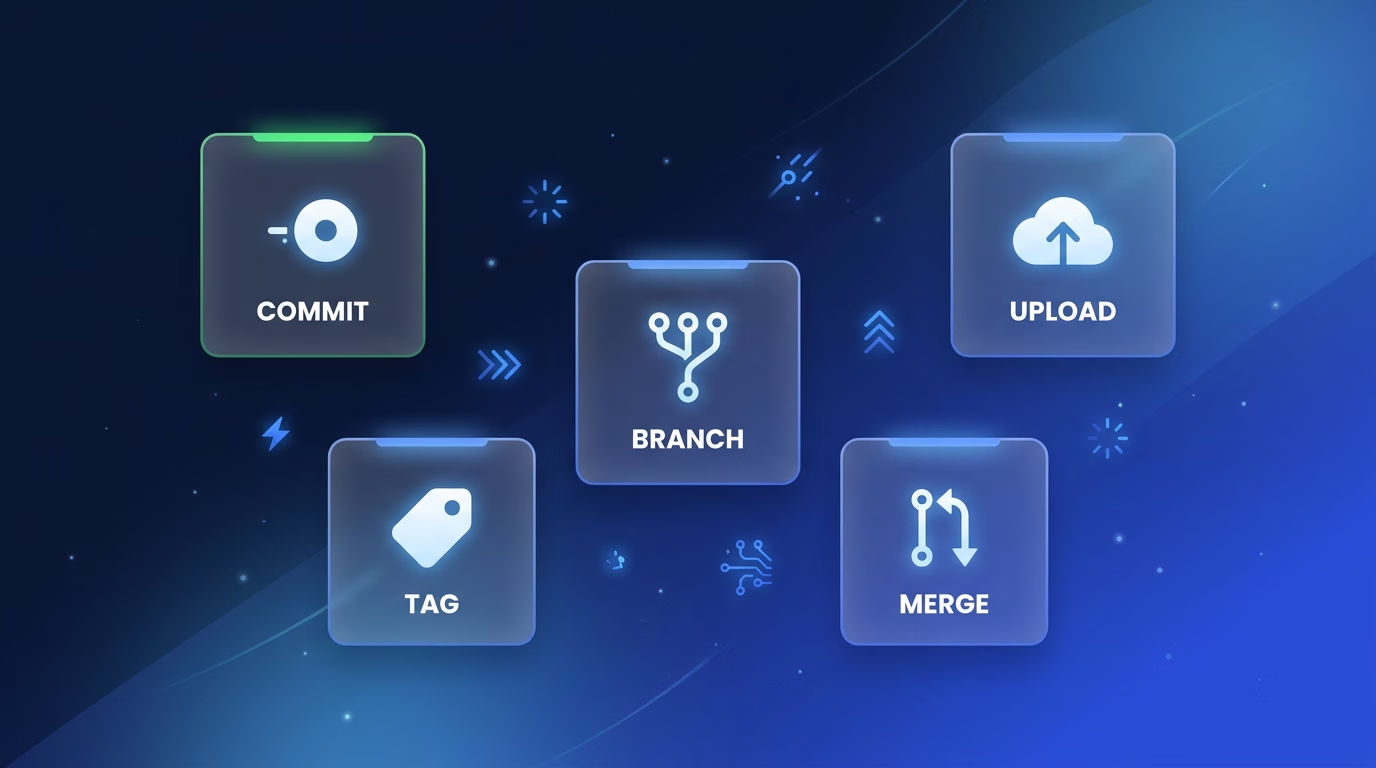
The README is a repository’s front door: a document that introduces the project and explains its purpose, setup, and usage so anyone can understand the codebase and contribute to it. It’s also a health signal. A thin or outdated README on an active project tells you the team is shipping faster than they’re documenting — a risk worth flagging, not a nitpick. A strong README (setup, architecture, onboarding, key decisions) correlates with a team thinking beyond the current sprint.
Commits are save points for developers, but the structure and size are the signals to follow. Small, well-scoped commits reflect deliberate tasks. A wall of wip, fix, and more fix usually signals the work is exploratory or in flux—expect scope to shift.
Push and pull are sync operations, but looking at the staleness is a signal to catch. A branch that hasn’t been pushed in three days may be blocked or abandoned. A burst of rapid pushes late at night before a demo signals a rushed finish—worth a gentle check-in about test coverage.
A merge conflict is a coordination signal. Occasional conflicts are noise. Recurring conflicts on the same files mean multiple people are working in the same zone without alignment — a technical problem engineers resolve in the moment, but also a planning conversation worth surfacing.
A tag or release is the team’s public declaration and the signal that something shipped. Release cadence is one of the most honest measures of delivery health, so follow the clues to understand when things are being pushed.
The result? I started speaking the language. “Is the PR merged yet?” replaced waiting for a status summary. My standups got shorter. My Slack threads got sharper.
How to Read a Pull Request Without Reading the Code
Once you’ve got the lingo, the next place to focus is where the action actually happens: the pull request. The PR is a proposal to merge changes from one branch into another. What matters for a PM is how to read one for information that isn’t in the code.
I start with metadata:
- Draft vs. ready for review. A draft PR is the earliest signal of a feature in progress; subscribe to these.
- Reviewer assignment. Who is tagged shows who the author considers the change authority. Unexpected senior engineer involvement signals non-routine scope, architecture, or risk.
- Labels and milestones. Labels like
needs-product-inputor milestone attachment are direct requests for PM attention. - Linked issues and projects. A PR lacking a linked ticket is either trivial, tech debt, or a tracking system gap, which warrants a comment.
The conversation tab is where I spend most of my time. Things I watch for
- A reviewer’s question hanging unanswered for a day (“should this also handle guest checkout?”) — that’s a scope call, not an engineering one. Weigh in.
- A PR open more than a few days with no movement — usually stuck on a busy reviewer, an unescalated scope question, or a dependency. Worth surfacing.
- A missing or wrong linked ticket — easy to fix, but it quietly breaks reporting if left.
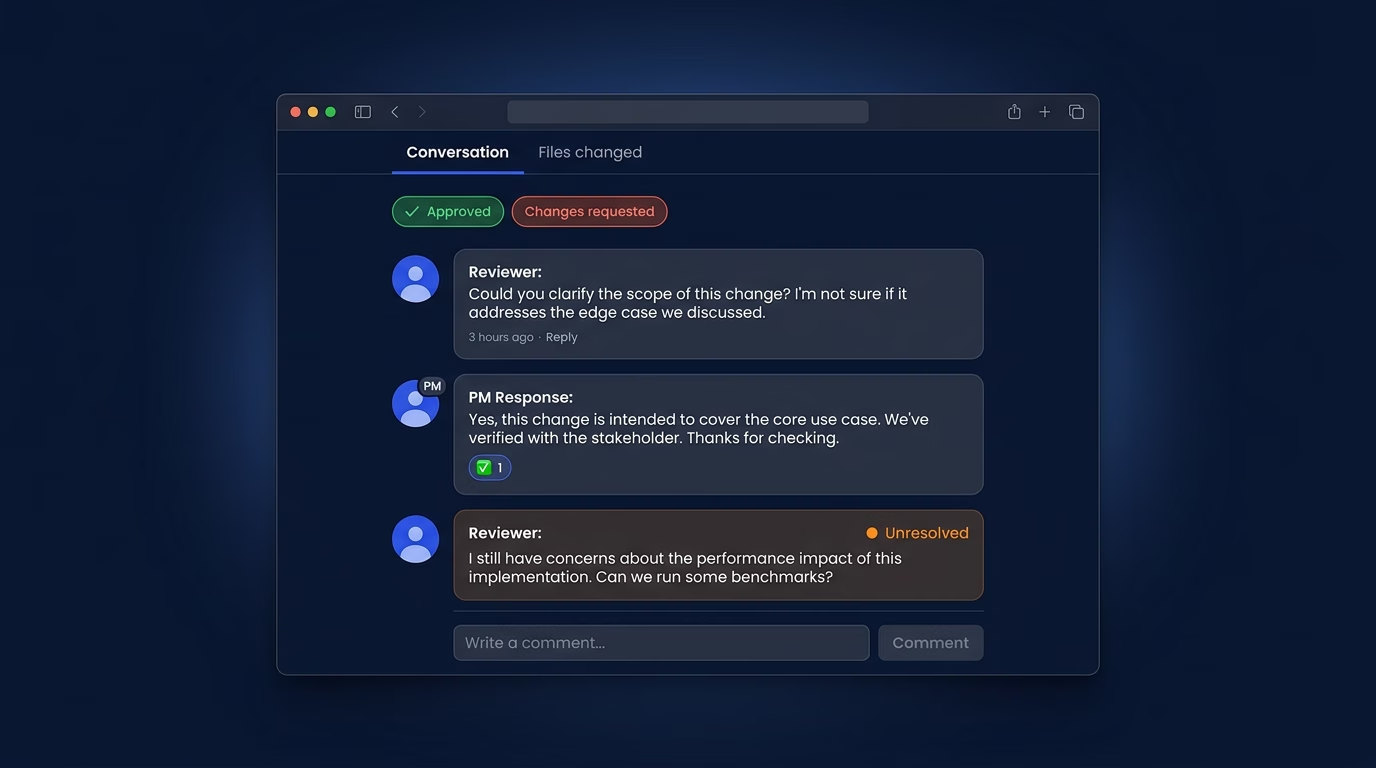
When I do comment, I stay in my lane: not on implementation, but on scope (“is this covering the edge case we discussed?”), linked tickets (“this isn’t tied to ATLAS-412 — should it be?”), and timing (“is this still in the Thursday release?”). One well-placed PM comment usually unblocks a conversation faster than a Slack thread.
The PR Status Cheat Sheet
PRs have four states worth knowing: Approved (reviewers have signed off, ready to merge), Changes requested (a reviewer found issues, the author needs to update), Merged (changes are live, feature has landed), and Closed (abandoned or superseded by another PR).
Those statuses tell me, at a glance, where every piece of work stands.
GitHub is the PMs Safe Zone
The GitHub web interface is your window into any project — and the good news is that almost everything useful to a PM is one click away. Viewing and commenting can never break anything. Pull requests exist precisely as a safety net. A few key items:
The README is displayed on the repo homepage. Project overview, setup instructions, and key links all live there. Always start here.
The file browser lets you click through folders to find documentation, configuration, or assets. Our own documentation standards cover what belongs in a project’s docs. The search bar jumps you to files by name, which is usually faster than clicking.
The commit history is a timeline of every change. You can see who worked on what and when features were actually developed. That’s my source of truth for status updates and retrospectives.
Issues and Projects track bugs, features, and tasks. Project boards give you a Kanban-style view of what’s in progress. Some teams use this instead of a dedicated PM tool.
The pattern: anything read-only or additive (a comment, an issue, a docs edit) is yours to use. Anything that changes the shared state — what’s merged, what’s deleted, what enforces the team’s rules — most likely belongs to engineering (for now!)
Why Living in the Repo Beats Waiting for Status
Once I was comfortable navigating a repo, I stopped relying on status meetings and async pings to understand where development stood. The repo itself is the most accurate, real-time source of truth you’ll find on any project — and it’s available 24/7 without interrupting anyone.
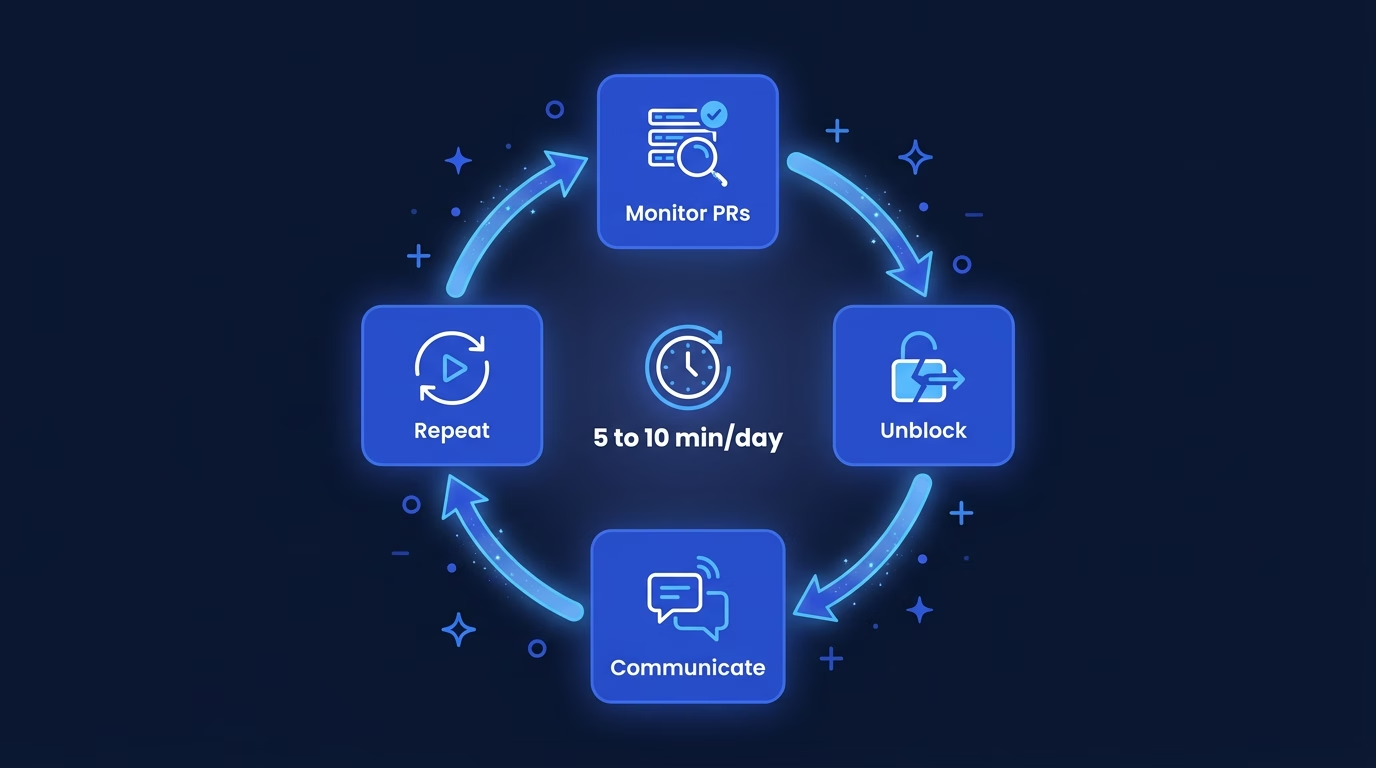
Here’s what five to ten minutes a day in GitHub gave me:
- I protect the team’s focus. By monitoring the PR queue and answering stakeholder questions based on code progress, I absorb the context-switching load, letting engineers maintain deep work and velocity.
- I clear the path for delivery. When a PR is stalled due to a confusing CI/CD failure, a complex review dependency, or a lingering decision, I step in to unblock the engineer and facilitate the conversation or escalate the challenge.
- I champion the team’s quality standards. Reviewing PR comments and status checks ensures our definition of “done”—including testing, documentation, and code quality—is being consistently met, helping engineers maintain a high bar.
- I build shared understanding and trust. Using the PR as the single source of truth, I proactively communicate progress to stakeholders, manage expectations, and shield the team from unnecessary check-in requests.
- I invest in our process health. Patterns like frequently failing tests, long-running review cycles, or common miscommunications surface in PR insights. I can propose and facilitate workflow improvements based on what I see.
The habit is small. The payoff: I’m never more than a day out of date on any project, and my team spends less time feeding me information I could find myself.
You’ve Got This
This week, try three things:
- Browse a repository and read the README.
- Leave a comment on an active PR — even if it’s just a question.
- Edit a Markdown document directly in the GitHub UI.
You don’t need to be an engineer to use GitHub effectively. You just need to start. That’s what I did — and the more I looked around, the more natural it got. A month in, I was the PM who knew where features actually were, who read PRs without waiting for a summary, and who spoke the same language as the people building the product.
That’s a different kind of program manager. And it started with opening a tab and clicking around.