A tax client and a tax preparer working on the same return need a place to talk. Email is too slow, phone tag is worse, and a separate app means another login. We worked through a production Flutter codebase that puts that conversation inside the client portal itself, on iOS, Android, and web. The chat layer runs on Socket.IO, sits behind a clean-architecture seam, and ships from a single Dart and Flutter codebase.
The product context
The app is a client-facing fintech portal for a tax and accounting service in the United States. Clients use it to upload documents, review tax returns, manage payments, and check the status of their filing. Each client is assigned a tax preparer on the back office side, and the two need to coordinate continuously during filing season. Most of that coordination is short messages. A question about a missing W-2. A confirmation that a document was received. A receipt that the return was filed.
This is an enterprise Flutter client portal built once for mobile and web from a single Dart and Flutter codebase, and the chat module is one of the more interesting surfaces because it has to satisfy three constraints at once. It must feel instant to the client. It must keep state consistent across sessions and devices. And it must work in a browser tab on Safari, where the rules for long-lived sockets are different from native.
Why Socket.IO, not a raw WebSocket
A real-time chat in Flutter can be built directly on dart:io’s WebSocket, on package:web_socket_channel, or on a higher-level protocol like Socket.IO. The codebase uses Socket.IO, and the benefits appear throughout the implementation. For a broader look at how we approach Flutter real-time work, see our case study on building real-time apps with Flutter.
Socket.IO buys three things this product needs:
A room model. Each client gets a room keyed by their clientId. The preparer joins the same room from the back office. Routing messages becomes a server-side concern, and the client only listens to events it cares about.
Named events with payloads. Instead of a single message stream that has to be parsed and dispatched, the implementation works with semantic events like onMessage, onSetAsRead, onRemoveMessage, and onFindAllMessages. Each event has its own handler, and the contract between Flutter and the Node backend is explicit.
Transport fallback. Socket.IO can run over WebSocket where it is supported, and fall back to HTTP long-polling where it is not. For a web build that needs to work across browsers, that fallback is doing real work, as we will see.
The dependency lives in pubspec.yaml as a path dependency on a vendored copy of socket_io_client 1.0.2:
socket_io_client:
  path: modules/socket_io_client-1.0.2
Pinning to a local copy keeps the team in control of the transport code. If the upstream package ships a regression, the build does not break overnight. The trade-off is that security patches have to be backported by hand.
One client, one room, one preparer
The event protocol is small and easy to reason about. It lives in lib/domain/utils/chat_utils.dart:
enum MessageEvent {
  onMessage(NetConstants.onMessage),
  findAllMessages(NetConstants.onFindAllMessages),
  removeMessage(NetConstants.onRemoveMessage),
  joinRoom(NetConstants.onJoinRoom),
  error(NetConstants.onError),
  setAsRead(NetConstants.onSetAsRead);

  const MessageEvent(this.value);
  final String value;
}

enum MessageSenderType {
  employee(NetConstants.employee),
  client(NetConstants.client);

  const MessageSenderType(this.value);
  final String value;
}
Two enums carry the entire wire contract. MessageEvent enumerates the events the client emits and listens for. MessageSenderType distinguishes a message sent by the client from one sent by the assigned preparer. Every payload that crosses the socket uses one of these constants, which means the compiler, not the developer, enforces the protocol.
On connection, the client joins its room and asks for history in two emits:
_socket?.emit(MessageEvent.joinRoom.value, {
  NetConstants.roomId: "$clientId",
});

_socket?.emit(MessageEvent.findAllMessages.value, {
  NetConstants.clientChatId: clientId,
  NetConstants.employeeId: taxId,
  NetConstants.roomId: "$clientId",
  "page": 1,
  "take": NetConstants.pageTake,
});
The room id is the client id, stringified. That choice matters for the back office. A preparer who handles dozens of clients in a day joins each client’s room as needed, and the server fans messages out by room. The Flutter app does not need to know anything about that. It only knows its own room.
Two transports, one codebase
The transport fork lives in _initSocket. The transport list branches at build time based on whether the app is running in a browser:
io.Socket _initSocket(String? accessToken) {
  return getIt<PlatformInfo>().isWeb
      ? io.io(
          "${FlavorConfig.instance.values.baseUrl}:3001/",
          io.OptionBuilder()
              .setTransports(["polling"])
              .disableAutoConnect()
              .setExtraHeaders({
                NetConstants.authorizationHeader:
                    "${NetConstants.bearerAuthorization} $accessToken",
              })
              .build(),
        )
      : io.io(
          "${FlavorConfig.instance.values.baseUrl}:3001/",
          io.OptionBuilder()
              .setTransports(["websocket", "polling"])
              .disableAutoConnect()
              .setExtraHeaders({
                NetConstants.authorizationHeader:
                    "${NetConstants.bearerAuthorization} $accessToken",
                NetConstants.userAgentHeader: NetConstants.userAgentValue,
                "Connection": "Upgrade",
                "Upgrade": "websocket",
              })
              .build(),
        );
}
On iOS and Android, the socket prefers WebSocket and falls back to polling. The handshake includes the standard Connection: Upgrade and Upgrade: websocket headers and sets a desktop user agent so the upstream proxy handles the request the same way on every client. On web, the transport list is reduced to polling only. WebSocket is removed from the negotiation. For background on Flutter and WebSocket in general, the Flutter WebSockets cookbook is a good baseline.
Polling-only on web is technically a step back from WebSocket. The reason is browser reality. The Authorization header cannot be set on a raw WebSocket handshake from a browser, which means token auth has to ride on the polling transport that is reachable via XHR. The browser WebSocket API does not allow custom headers, and this limitation is exactly what forces the polling fork. Forcing polling keeps the auth model identical across platforms at the cost of slightly more chatter on web. The chat page warns Safari users that messaging behaves differently, which shows the codebase encountered this limitation in production and chose transparency over a workaround.
disableAutoConnect() is on for both transports. The socket is created lazily and connected only when the chat screen is mounted, which keeps idle clients off the real-time backend. Pair that with clean() and disconnect(), which release the socket and reset the message cubit, and the resource lifecycle stays tight.
A clean-architecture spine
The chat layer mirrors the app’s three-layer structure: presenter, domain, and data. Each layer has one responsibility. This is the same shape described in our writeup on VGV layered architecture.
The presenter layer is ChatPage. It owns the text controller, the reply title, and the scroll, and it delegates everything else to the manager. It also listens to a Cubit so the UI rebuilds when messages change.
@override
void initState() {
  super.initState();
  taxId = _profile?.taxPreparer?.id;
  clientId = _profile?.id;
  _chatManager.initChatManager(taxId, clientId, _accessToken);
  ...
}

@override
void dispose() {
  _chatManager.disconnect();
  super.dispose();
}
The domain layer is ChatManager. It is the only place that knows Socket.IO exists. Every emit and every listener lives here, and the rest of the app talks to chat through an abstract interface:
abstract class ChatManager {
  Cubit<Data<List<ChatMessage>>> get chatMessages;

  void initChatManager(String? taxId, String? clientId, String? accessToken);
  void sendMessage(MessageSubject subject, String message);
  void replyMessage(String replyTitle, String repliedMessageId, String message);
  void deleteMessage(ChatMessage message);
  void disconnect();
  void clean();

  void onUploadDocument(
    String year,
    String? taxId,
    String? clientId,
    String? accessToken,
  );
  void onAccountCreated();
  void onAdditionalServicesAdded(List<AddOnState> addOns);
}
The last three methods are not chat operations. They are product events. When a client uploads a document, finishes signup, or adds an extra service, the manager emits a chat message describing what happened so the preparer sees it in their thread. The chat doubles as an activity log between client and preparer, which is a small idea with a large payoff. It collapses three notification channels into one.
The data layer is ChatRepository. It maps raw payloads from the socket and from the legacy HTTP endpoint into ChatMessage domain objects, derives flags like isMe from the sender type, and pulls a list of unread message ids out of a findAllMessages payload so they can be marked as read in one round trip.
Wiring is done in lib/di/di_init.dart using get_it:
getIt.registerLazySingleton<ChatRepository>(
    () => ChatRepositoryImpl(getIt(), getIt()));
getIt.registerLazySingleton<ChatManager>(
    () => ChatManagerImpl(getIt()));
A lazy singleton for the manager is the right shape here. The chat needs a single source of truth for the socket and the message list across the lifetime of the session, and the lazy registration means the socket is not constructed until something asks for it. For more on why we lean on this state-management stack, see why we use flutter_bloc for state management.
State, read receipts, and idempotent updates
The message list lives in a private cubit inside chat_manager_impl.dart:
class _MessagesStateCubit extends Cubit<Data<List<ChatMessage>>> {
  _MessagesStateCubit()
      : super(Data(
          state: DataState.isLoading,
          data: List.empty(),
        ));

  void addMessage(ChatMessage newMessage) { ... }
  void addMessages(List<ChatMessage> newMessage) => _notifyData(newMessage);
  void removeMessage(String uid) { ... }
  void setMessageAsRead(String id) { ... }
  void setMessageAsReplied(String id) { ... }
}
flutter_bloc does the heavy lifting. The cubit emits a Data<List<ChatMessage>>, the ChatPage rebuilds with BlocBuilder, and the rest of the UI stays declarative. The cubit is private to the manager, which keeps state mutation funneled through a small number of methods and prevents the rest of the app from poking at the message list directly. The choice of Cubit over Riverpod or another state manager kept the chat consistent with the rest of the app’s state layer. That alignment pays back in onboarding time. For deeper coverage of this pattern with live data, see using Bloc with streams.
Three details in the message handler stand out.
First, deduping. When a new message arrives, the manager checks the existing list by id before appending:
var alreadyAdded = _chatMessages.state.data
        ?.any((element) => element.id == newMessage.id) ??
    false;

if (!alreadyAdded) {
  _chatMessages.addMessage(newMessage);
  ...
}
Real-time systems duplicate events. A reconnect after a brief disconnect can replay a message the client already has. Filtering by id at the application layer is cheap insurance against double-rendered bubbles.
Second, read receipts. As soon as a message from the preparer is added to the list, the manager emits a setAsRead event with that message id:
if (!newMessage.isMe) {
  _socket?.emit(MessageEvent.setAsRead.value, {
    NetConstants.roomId: "$clientId",
    NetConstants.messageIds: [newMessage.id],
    NetConstants.clientChatId: clientId,
    NetConstants.employeeId: taxId,
  });
}
The same logic runs in bulk when history loads. _setMessagesAsRead pulls every unread employee message out of the initial findAllMessages payload and acknowledges them in one emit. The preparer’s UI flips them all in a single update, which is the right behavior when a client opens the app for the first time in a day.
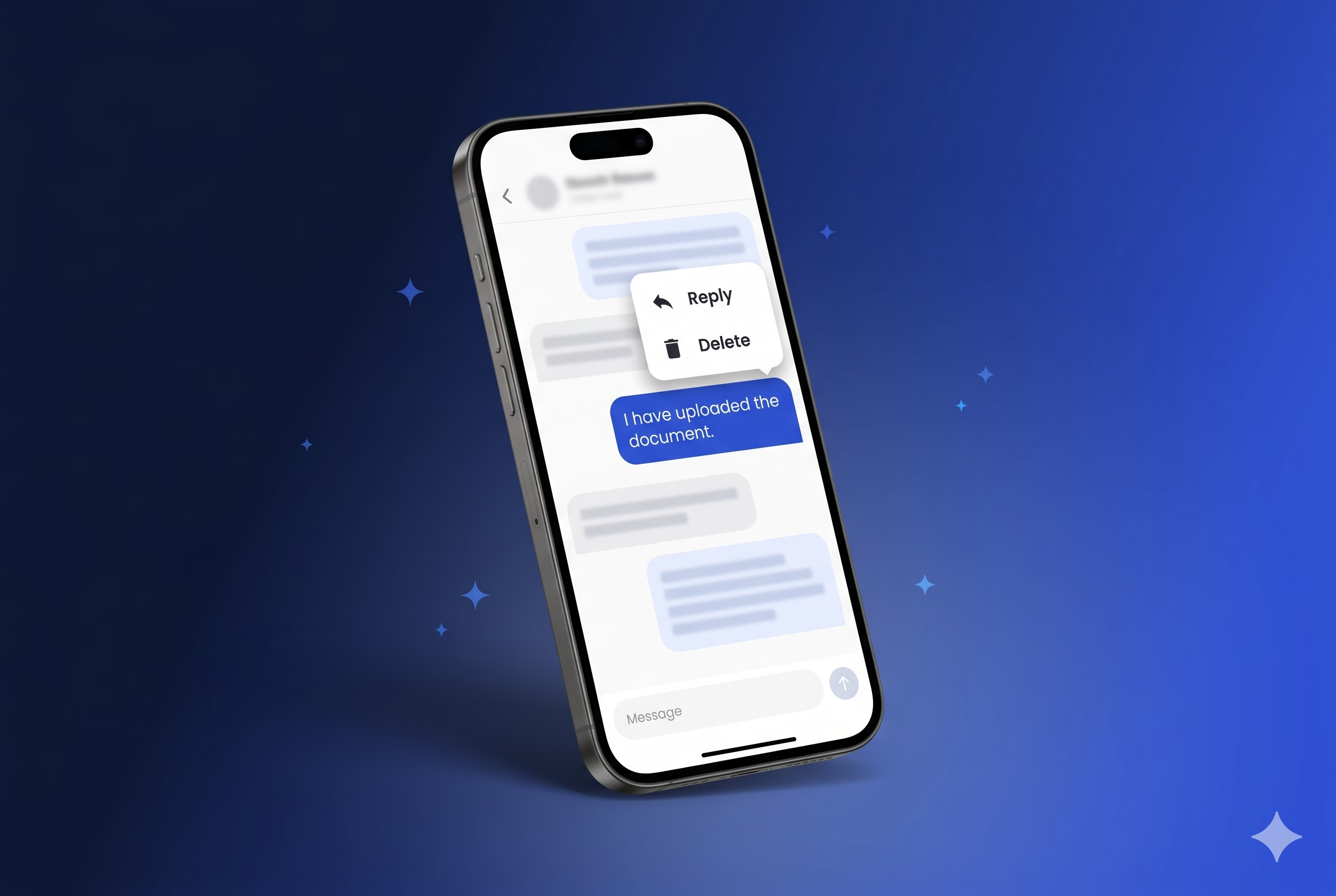
Third, replies and deletes are explicit. A reply sends an extra field, repliedMessageId, on the same onMessage event so the server can thread it. A delete is allowed only if the message is from the current user and has not yet been read. That guard lives in the domain manager, not in the UI:
void deleteMessage(ChatMessage message) async {
  if (!message.isRead && message.isMe) {
    _chatMessages.removeMessage(message.id);
    _socket?.emit(MessageEvent.removeMessage.value, { ... });
  }
}
Putting the rule in ChatManager means it cannot be bypassed by a different button on a different screen. The abstract interface also makes the manager straightforward to test with a mock, which is a quiet benefit of pushing transport details behind a domain seam.
Reconnection and the disconnect handler
Network drops are the default state of the world on mobile. The implementation handles them with a reconnect loop inside the connect handler:
_socket?.onDisconnect((_) {
  _socket?.connect();
});
When the socket disconnects, it reconnects. The code comment explains this handles server failover. The app does not use exponential backoff at the application layer, and that is intentional. Socket.IO’s own engine handles backoff and jitter for the underlying transports, so the application layer focuses on the user-visible state machine. If a message arrives during reconnection, the dedupe-by-id check we saw earlier prevents a duplicate bubble.
The onUploadDocument, onAccountCreated, and onAdditionalServicesAdded flows take the same approach. Each calls a private _checkSocketStatus that reconnects the socket if it is null or disconnected before emitting the message. Those code paths fire when the user has not opened the chat screen yet, so the socket might not exist. Reconnecting on demand is safer than assuming.
What this codebase teaches
Pick the protocol that matches the workload, then own the dependency. Socket.IO was the right call for a chat with rooms, named events, and mixed transports. Vendoring the client as a path dependency keeps the team in control of the transport code on a long-lived product. We have seen this pay off on consumer apps where a single regression in a popular real-time library can ship a P0 bug into production overnight.
Treat the real-time client as a domain manager, not a global singleton with side effects. The interface for ChatManager lists the methods the app needs, and nothing else. Socket.IO never leaks past it. When the codebase needs to swap to a different protocol or add a second transport for push delivery, the surface area to change stays small.
Make read receipts and dedupe boring. Both are implemented as a handful of lines, and both prevent a class of bugs that look easy on day one and ugly in production. Filter incoming messages by id. Acknowledge unread messages in bulk on history load. Acknowledge them one by one as they arrive. There is no clever trick here, and that is the point.
Split transports by platform on purpose. The web build runs on polling because auth headers ride there reliably. The native build runs on WebSocket because the handshake supports them and the latency is lower. The fork is two branches of an OptionBuilder and a comment that explains why. A future engineer can read it without archaeology. For teams scaling Flutter for enterprise, these are the kinds of seams that keep a long-lived codebase legible.
Where to take it next
The findAllMessages response is paginated with a take of fifty, but the client does not yet request additional pages. Long threads need infinite scroll, and wiring a scroll controller to request the next page when the user nears the top of the list is a small change with a real payoff. The reconnect loop could surface a connection state to the UI so users see a “Reconnecting” affordance instead of a silent retry. Token rotation through the socket would let the chat survive a refresh without a full reconnect, and sketching that flow inside _checkSocketStatus is a natural extension of the existing pattern. To start a new Flutter project on a foundation that already encodes these seams, the Very Good Core starter template ships with the layered architecture and DI wiring described in this post.
The current build runs in production, ships from one codebase to iOS, Android, and web, and keeps a clean seam between the real-time layer and everything else. For a team building a similar surface in Flutter, the patterns here transfer directly. Choose the protocol early, isolate it behind a domain interface, and handle the transport fork at init time. The conversation between a client and their preparer is a small surface area. Getting the real-time layer right keeps it that way.