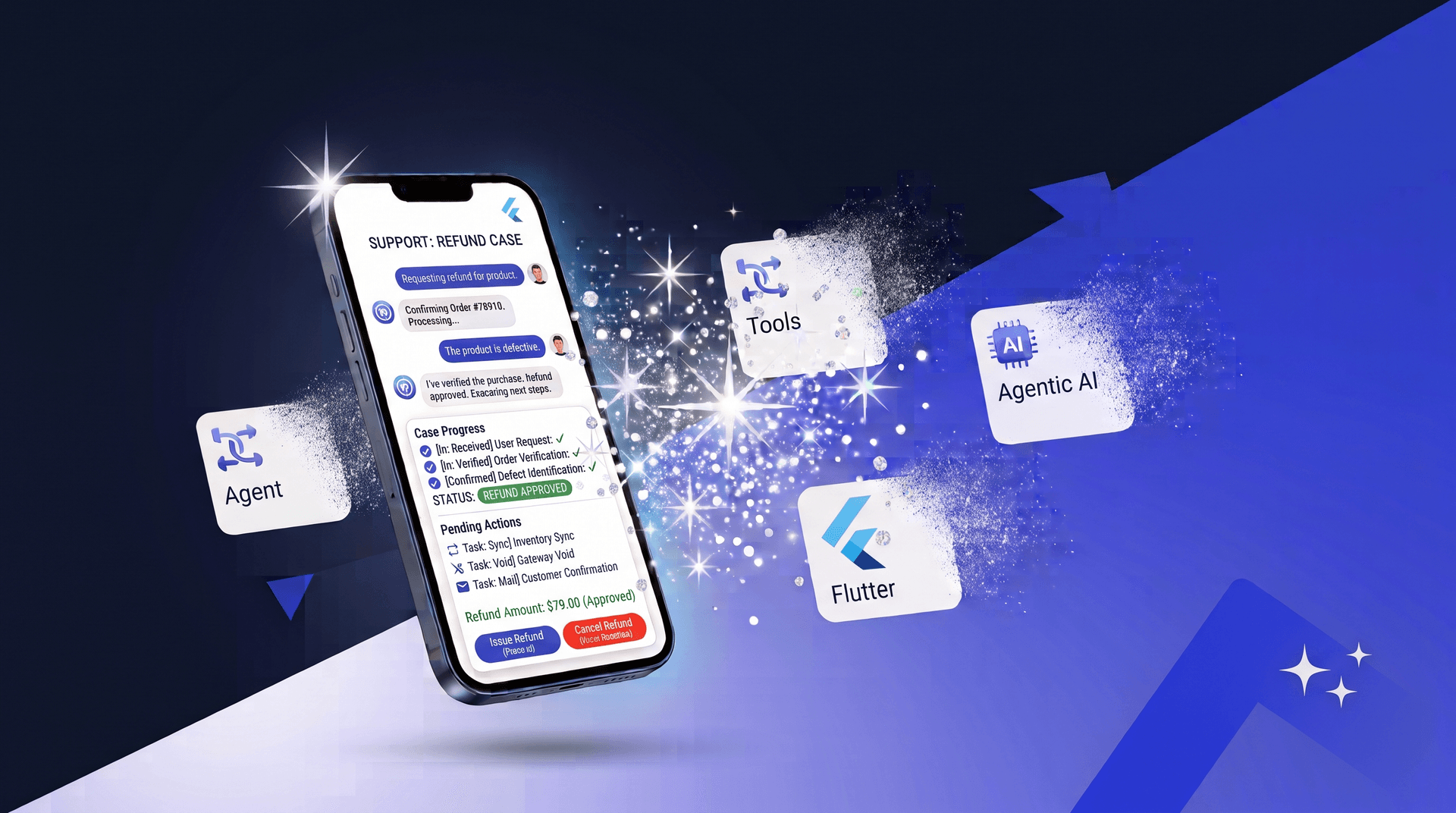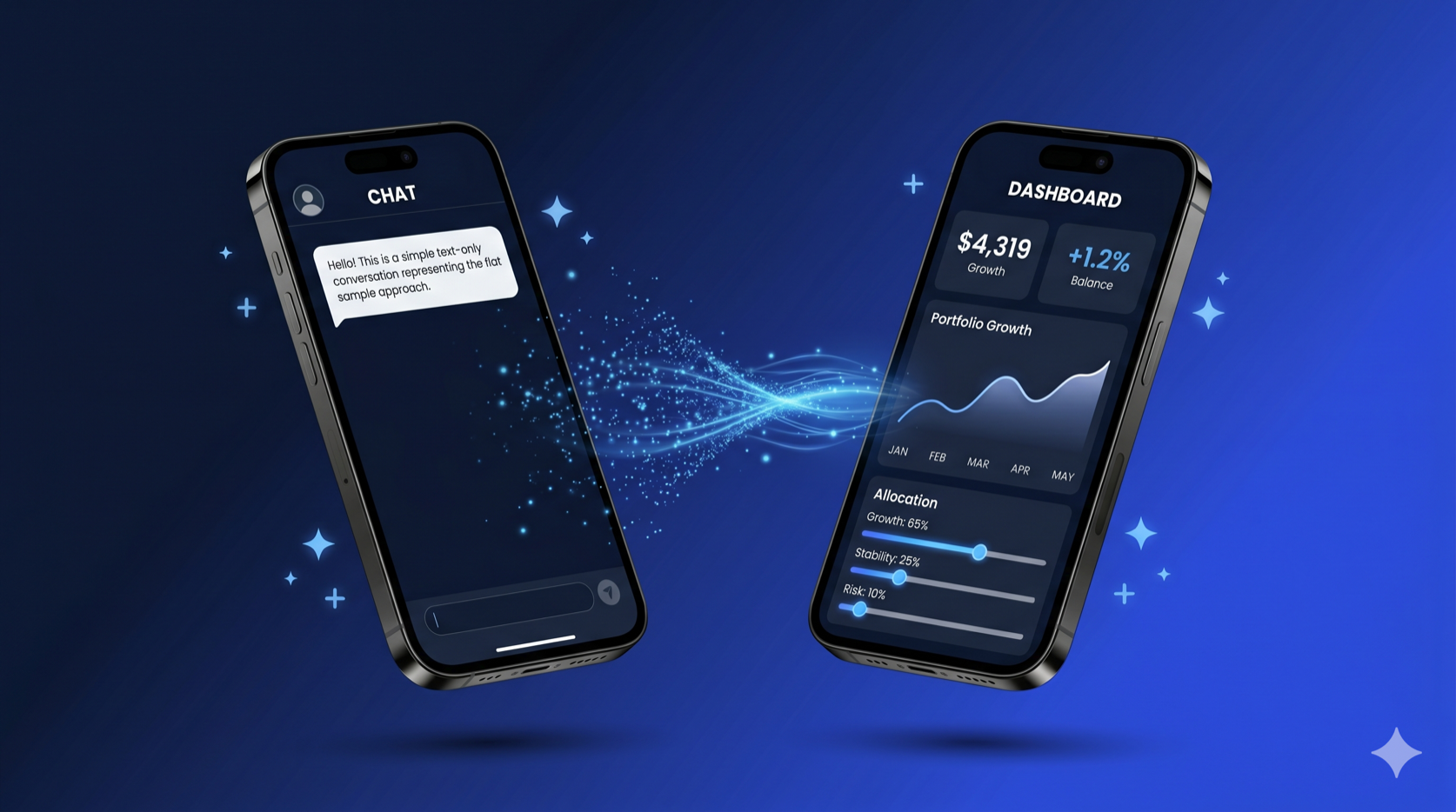
Flutter’s GenUI SDK is a framework for building generative UI — you define a catalog of widgets with JSON schemas, and an LLM decides which widgets to render, with what data, at runtime. The official samples are intentionally simple: they teach you how GenUI works, not how to architect a Flutter app around it. That’s the right call for a learning resource, but it leaves a gap when you’re building for production.
At Very Good Ventures, we built a Life Goal Simulator — a GenUI-powered financial planning assistant for Google Cloud Next 2026 that walks users through a personalized, multi-step conversation, rendering custom financial widgets in real time. The simulator uses the same GenUI SDK as the official samples, but the architecture we applied looks quite different.
This post walks through how we structured it, why we made the choices we did, and how VGV’s architecture principles apply to this new category of AI-driven UI.
The Starting Point: How the Samples Work
The official GenUI travel_app sample is a great way to learn the SDK. Its architecture is intentionally flat — everything lives in a single StatefulWidget:
// travel_planner_page.dart — the entire app in one file
class _TravelPlannerPageState extends State<TravelPlannerPage> {
  late final SurfaceController _surfaceController;
  late final A2uiTransportAdapter _adapter;
  late final Conversation _uiConversation;
  late final GoogleGenerativeAiClient _client;
  final _messages = ValueNotifier<List<ChatMessage>>([]);
  final _isProcessing = ValueNotifier<bool>(false);
  // ... setup, streaming, rendering all in one place
}
The widget creates the AI client, manages the conversation, handles streaming, and renders the UI. State lives in ValueNotifier. There’s no repository, no state management library, and no dependency injection. For understanding GenUI, this is ideal: read one file and you can understand the entire flow.
But in production, this structure creates problems:
- Testability: You can’t unit test the conversation logic without rendering the entire widget tree.
- Swappability: Changing the AI provider means rewriting the presentation layer.
- Complexity management: As you add error handling, loading states, page navigation, and 26 custom widgets, one file becomes unmanageable.
- Team collaboration: Multiple developers can’t work on the AI integration and the UI simultaneously without constant merge conflicts.
VGV’s Layered Architecture
VGV applies a four-layer architecture with strict unidirectional data flow — the same structure we use across every Flutter project.
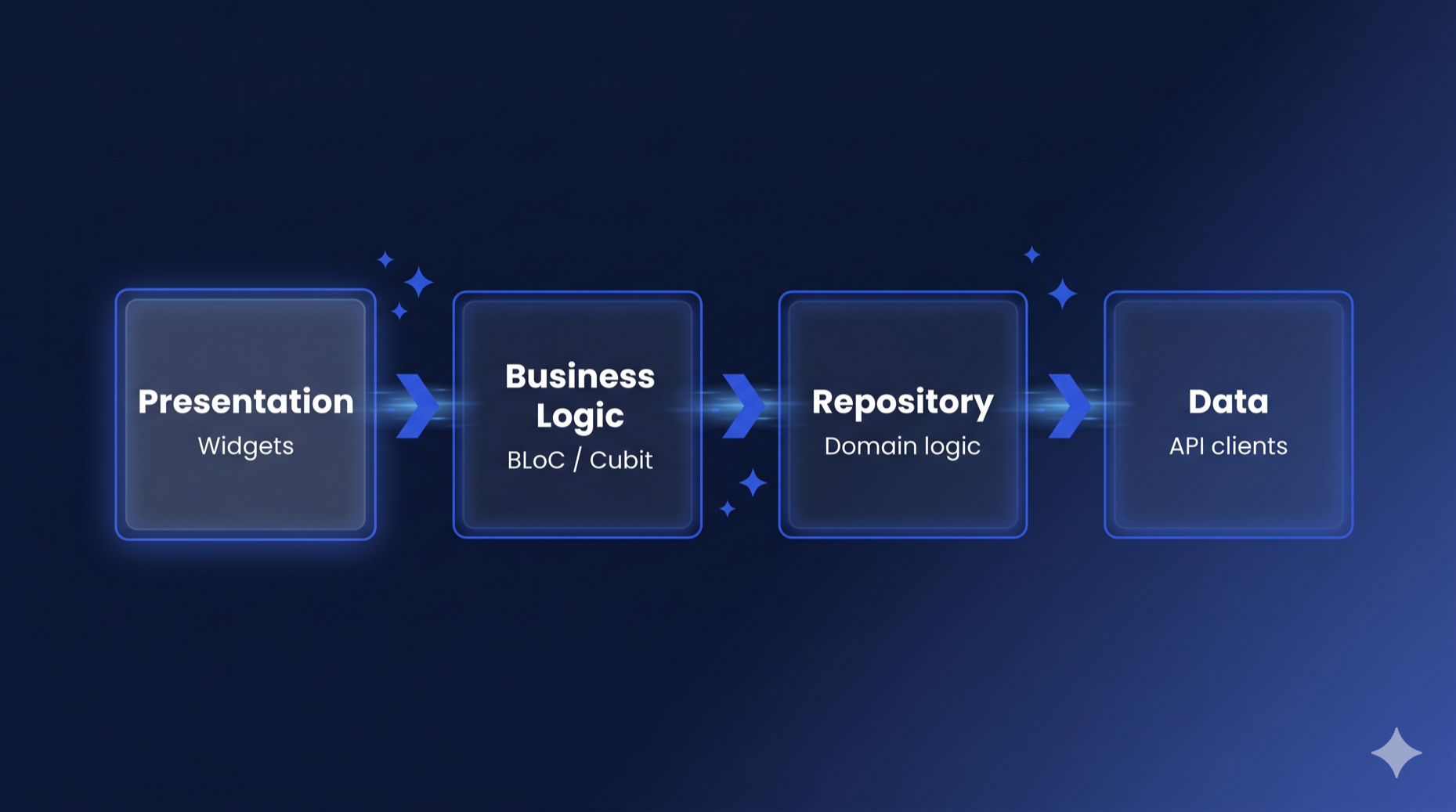
Engineering Docs
The four layers, documented in full
Flutter's official architecture recommendations point to our write-up of how data, repository, business logic, and presentation stay separated on every project we join.
Each layer only talks to the one directly below it. The presentation layer never touches the API client. The Bloc never imports Flutter (keeping it framework-agnostic). The repository never depends on other repositories.
This isn’t a GenUI-specific pattern — it’s the same architecture we use for every Flutter project. The insight is that GenUI doesn’t require a new architecture. The LLM is just another data source, and the GenUI SDK is just another API client. The same layered separation that works for REST APIs and databases works for generative AI.
Here’s how the Flutter GenUI architecture maps to the Life Goal Simulator:
lib/simulator/
├── view/               # Presentation layer
│   ├── simulator_page.dart
│   ├── simulator_view.dart
│   └── widgets/
├── bloc/               # Business logic layer
│   ├── display_message.dart
│   ├── simulator_bloc.dart
│   ├── simulator_event.dart
│   └── simulator_state.dart
├── repository/         # Repository layer
│   ├── simulator_repository.dart
│   └── simulator_conversation_event.dart
├── catalog/            # GenUI component definitions
│   ├── finance_catalog.dart
│   └── items/          # 26 custom catalog items
└── prompt/             # LLM prompt construction
    └── prompt.dart
To see how this works, let’s trace a message through each layer, starting from the bottom.
The Repository: Wrapping the GenUI SDK
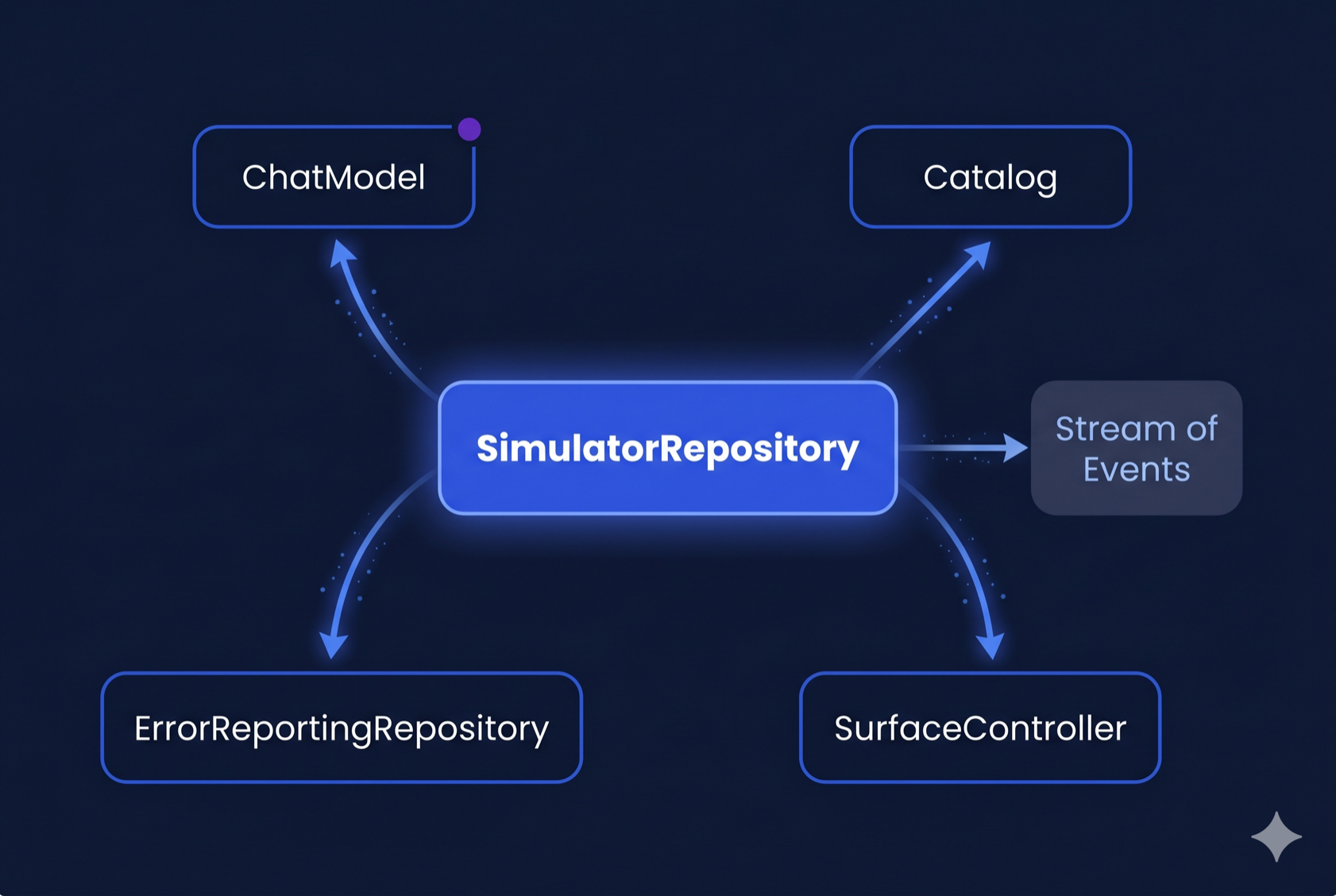
The SimulatorRepository is where GenUI’s moving parts disappear behind a two-method API. It receives the Catalog and SurfaceController from the presentation layer (since those are rendering concerns), then wires them together with the A2uiTransportAdapter and PromptBuilder behind a clean interface:
class SimulatorRepository {
  SimulatorRepository({
    required ChatModel chatModel,
    required ErrorReportingRepository errorReporting,
    required Catalog catalog,
    required SurfaceController surfaceController,
  });

  Stream<SimulatorConversationEvent> get events => _controller.stream;

  Future<void> startConversation() async { /* ... */ }

  Future<void> sendMessage(String text) async { /* ... */ }

  Future<void> dispose() async { /* ... */ }
}
That’s the entire public API. Every dependency is injected:
ChatModelis the abstract interface from Dartantic. TheSimulatorRepositorydoesn’t know whether it’s talking to Firebase AI, Google AI, Anthropic, or any other provider — it just callssendStream(). TheSimulatorPagedecides which concrete implementation to use (currentlyFirebaseAIChatModel), making provider swaps a one-line change.CatalogandSurfaceControllerare rendering concerns created by theSimulatorPage— the repository uses the catalog for prompt building and the controller for conversation wiring, but doesn’t own them.
startConversation() composes the system prompt, creates the transport adapter, and starts the conversation. sendMessage() sends a user message. The repository exposes a Stream<SimulatorConversationEvent> that the Bloc subscribes to.
This split is deliberate. The catalog defines what widgets can render — a presentation concern. The SurfaceController renders surfaces — also presentation. The ChatModel is the AI backend — a data concern owned by the composition root. The repository wires them together but creates none of them, staying focused on conversation management.
Domain Event Mapping
The key design decision is the domain event mapping. GenUI’s internal ConversationEvent types are implementation details — part of the A2UI protocol (Google’s Agent-to-UI standard) that the SDK uses under the hood. The repository translates them into domain-specific sealed classes:
sealed class SimulatorConversationEvent {
  const SimulatorConversationEvent();
}

final class SimulatorConversationWaiting extends SimulatorConversationEvent {
  const SimulatorConversationWaiting({required this.isWaiting});
  final bool isWaiting;
}

final class SimulatorConversationTextReceived extends SimulatorConversationEvent {
  const SimulatorConversationTextReceived(this.text);
  final String text;
}

final class SimulatorConversationSurfaceAdded extends SimulatorConversationEvent {
  const SimulatorConversationSurfaceAdded(this.surfaceId);
  final String surfaceId;
}

final class SimulatorConversationError extends SimulatorConversationEvent {
  const SimulatorConversationError(this.message);
  final String message;
}
This mapping matters because it creates a seam. If the GenUI SDK changes its event types (and it will — it’s in alpha), only the repository needs updating. The Bloc and presentation layer are completely insulated.
Inside the repository, the streaming pipeline handles the LLM-to-GenUI bridge:
Future<void> _handleSend(ChatMessage message) async {
  _history.add(_convertDataPartsToText(message));

  final messages = [
    ChatMessage.system(_systemPrompt),
    ..._history,
  ];

  final adapter = _conversation!.transport as A2uiTransportAdapter;
  final buffer = StringBuffer();

  try {
    await for (final result in _chatModel.sendStream(messages)) {
      final text = result.output.text;
      if (text.isNotEmpty) {
        buffer.write(text);
        adapter.addChunk(text);
      }
    }
    _history.add(ChatMessage.model(buffer.toString()));
  } on Object catch (e, st) {
    if (buffer.isNotEmpty) {
      // Save whatever was streamed so retry has full context.
      _history.add(ChatMessage.model(buffer.toString()));
    } else {
      // Zero chunks arrived — pop the dangling user message so history
      // doesn't end with two consecutive user turns on the next send,
      // which Firebase AI rejects as INVALID_ARGUMENT.
      _history.removeLast();
    }
    await _errorReporting.recordError(e, st, reason: 'AI sendStream error');
    _controller.add(SimulatorConversationError('AI error: $e'));
  }
}
Each chunk from the LLM is fed to the A2uiTransportAdapter, which parses the JSON and tells the SurfaceController to update the UI. The repository manages the message history, system prompt, and the streaming lifecycle — none of which the Bloc needs to know about.
You’ll notice the repository manages _history (the list of ChatMessages) directly rather than delegating to a separate data source. In a strict layered architecture, message history could be its own data layer concern — a local database or in-memory store that the repository composes. We kept it inline because the history is tightly coupled to the streaming lifecycle: each _handleSend call appends the outgoing message, streams the response, and appends the completed response in a single transaction. Extracting it would add a layer of indirection without a clear benefit today. If we later needed persistence across sessions, or multiple features sharing the same conversation history, that’s when the extraction would earn its keep.
The Bloc: Managing Conversation State
The SimulatorBloc consumes the repository’s event stream and manages the UI state. It follows VGV’s standard Bloc conventions — if you’ve worked with flutter_bloc, these patterns will look familiar: sealed events with past-tense naming, a single state class with a status enum and copyWith.
// Events — past tense, describing what happened
sealed class SimulatorEvent {
  const SimulatorEvent();
}
final class SimulatorStarted extends SimulatorEvent { /* ... */ }
final class SimulatorMessageSent extends SimulatorEvent { /* ... */ }
final class SimulatorSurfaceReceived extends SimulatorEvent { /* ... */ }
final class SimulatorContentReceived extends SimulatorEvent { /* ... */ }
final class SimulatorLoadingChanged extends SimulatorEvent { /* ... */ }
final class SimulatorErrorOccurred extends SimulatorEvent { /* ... */ }
final class SimulatorRetried extends SimulatorEvent { /* ... */ }
// ... plus loading overlay events
// State — Equatable + status enum + copyWith
final class SimulatorState extends Equatable {
const SimulatorState({
this.status = SimulatorStatus.initial,
this.pages = const [],
this.currentPageIndex = 0,
this.isLoading = false,
this.pendingPageIndex,
this.showLoadingOverlay = false,
this.error,
});
final SimulatorStatus status;
final List<List<DisplayMessage>> pages;
final int currentPageIndex;
final bool isLoading;
final int? pendingPageIndex;
final bool showLoadingOverlay;
final String? error;
@override
List<Object?> get props => [
status, pages, currentPageIndex, isLoading,
pendingPageIndex, showLoadingOverlay, error,
];
}The state models the UI as a list of pages, where each page contains a list of display messages. Display messages are themselves a sealed hierarchy:
sealed class DisplayMessage extends Equatable {
  const DisplayMessage();
}
final class UserDisplayMessage extends DisplayMessage { /* ... */ }
final class AiTextDisplayMessage extends DisplayMessage { /* ... */ }
final class AiSurfaceDisplayMessage extends DisplayMessage { /* ... */ }
This is a GenUI-specific modeling choice. In a traditional chat app, you’d have a flat list of messages. Here, because GenUI surfaces are full-screen interactive UIs (not chat bubbles), each surface gets its own page. When the AI creates a new surface, the Bloc adds a new page and animates to it:
void _onSurfaceReceived(
  SimulatorSurfaceReceived event,
  Emitter<SimulatorState> emit,
) {
  final existingPageIndex = state.pages.indexWhere(
    (page) => page.any(
      (m) => m is AiSurfaceDisplayMessage && m.surfaceId == event.surfaceId,
    ),
  );

  if (existingPageIndex != -1) {
    // Surface already exists — navigate to it
    emit(state.copyWith(currentPageIndex: existingPageIndex));
  } else {
    // New surface — create a new page
    final message = AiSurfaceDisplayMessage(event.surfaceId);
    final pages = [...state.pages, <DisplayMessage>[message]];
    emit(state.copyWith(pages: pages, currentPageIndex: pages.length - 1));
  }
}
The Bloc also handles text streaming — as the LLM responds, text chunks arrive one at a time and get concatenated into the current page’s last text message. This is a detail the presentation layer doesn’t need to think about. For more on how Bloc works with stream subscriptions like this, see How to Use Bloc with Streams and Concurrency.
The Presentation Layer: Page Creates, View Renders
The presentation follows VGV’s standard Page/View split:
SimulatorPage is the composition root. It creates the Catalog and SurfaceController (rendering concerns), injects them into the repository, and passes the SurfaceController directly to the view — keeping GenUI types out of the Bloc entirely:
class SimulatorPage extends StatefulWidget {
  @override
  State<SimulatorPage> createState() => _SimulatorPageState();
}

class _SimulatorPageState extends State<SimulatorPage> {
  late final Catalog _catalog;
  late final SurfaceController _surfaceController;

  @override
  void initState() {
    super.initState();
    _catalog = buildFinanceCatalog();
    _surfaceController = SurfaceController(catalogs: [_catalog]);
  }

  @override
  Widget build(BuildContext context) {
    return BlocProvider(
      create: (_) =>
          SimulatorBloc(
            simulatorRepository: SimulatorRepository(
              chatModel: FirebaseAIChatModel(...),
              errorReporting: DevErrorReportingRepository()
              catalog: _catalog,
              surfaceController: _surfaceController,
            ),
          )..add(SimulatorStarted(...)),
      child: SimulatorView(
        profileType: widget.profileType,
        surfaceHost: _surfaceController,
      ),
    );
  }
}
The SurfaceController flows from the Page to the view and to the repository — but never through the Bloc. The Bloc state contains only plain Dart types: strings, enums, lists of DisplayMessage. No GenUI imports.
SimulatorView renders the UI based on Bloc state. It uses a BlocConsumer — listener for page navigation animations, builder for the widget tree:
BlocConsumer<SimulatorBloc, SimulatorState>(
  listenWhen: (previous, current) =>
      previous.currentPageIndex != current.currentPageIndex,
  listener: (context, state) {
    _pageController.animateToPage(
      state.currentPageIndex,
      duration: const Duration(milliseconds: 1200),
      curve: Curves.easeInOutCubic,
    );
  },
  builder: (context, state) {
    // Render pages with GenUI Surface widgets
  },
)
The view never touches the repository or the AI client. It reads pages from the Bloc state, renders Surface widgets from the GenUI SDK for each AiSurfaceDisplayMessage, and dispatches events when the user interacts.
The Catalog: Domain-Specific Components as a First-Class Concern
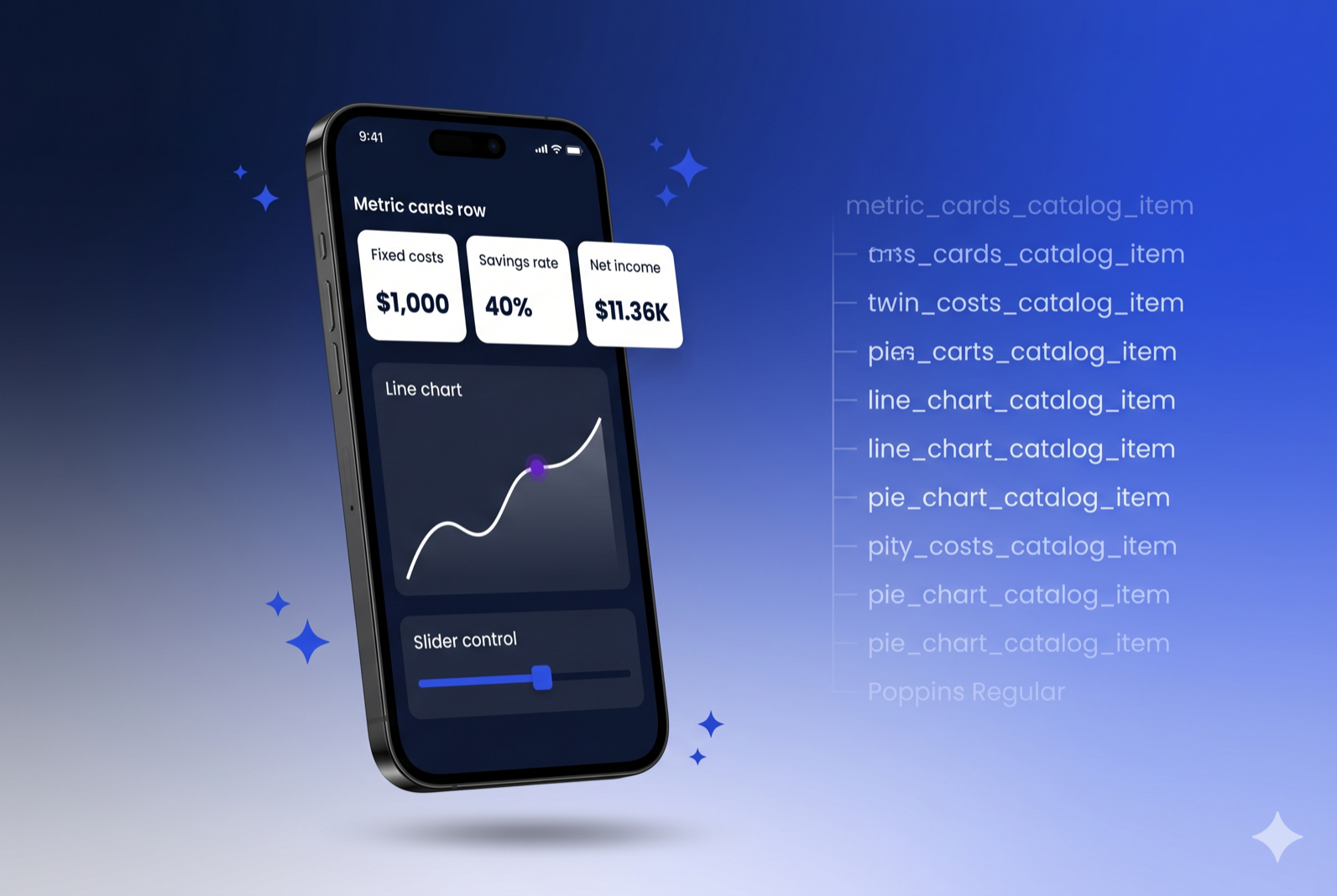
The official samples define their catalog inline with the page. In the Life Goal Simulator, the catalog is a separate, structured layer with 26 custom financial widgets, each defined in its own file. (For an introduction to building catalog items, see VGV’s Flutter GenUI shopping assistant tutorial.)
catalog/
├── finance_catalog.dart      # Composes the full catalog
└── items/
    ├── metric_cards_catalog_item.dart
    ├── line_chart_catalog_item.dart
    ├── pie_chart_catalog_item.dart
    ├── gcn_slider_catalog_item.dart
    ├── radio_card_catalog_item.dart
    ├── filter_bar_catalog_item.dart
    └── ... (26 items total)
Each catalog item follows a consistent structure: a JSON schema (telling the LLM what properties it can set), and a widget builder (turning that JSON into Flutter widgets):
final _schema = S.object(
  description: 'A grid of cards highlighting key financial metrics...',
  properties: {
    'cards': S.list(
      items: S.object(
        properties: {
          'label': A2uiSchemas.stringReference(
            description: 'Short label (e.g. "Fixed costs").',
          ),
          'value': A2uiSchemas.stringReference(
            description: r'Primary value (e.g. "$4,319").',
          ),
          'delta': A2uiSchemas.stringReference(
            description: 'Optional delta text (e.g. "+1.2%").',
          ),
        },
        required: ['label', 'value'],
      ),
    ),
  },
);

final metricCardsItem = CatalogItem(
  name: 'MetricCard',
  dataSchema: _schema,
  widgetBuilder: (ctx) {
    final json = ctx.data as Map<String, Object?>;
    final rawCards = json['cards']! as List;
    // ... parse JSON, build MetricCard widgets
    return MetricCardsLayout(cards: cards);
  },
);
The buildFinanceCatalog() function composes the full catalog by starting with the SDK’s basic items, removing the generic ones we don’t need, and adding our domain-specific widgets:
Catalog buildFinanceCatalog() {
  return BasicCatalogItems.asCatalog()
      .copyWithout(
        itemsToRemove: [
          BasicCatalogItems.button,
          BasicCatalogItems.checkBox,
          BasicCatalogItems.slider,
          // ... remove 15 generic widgets
        ],
      )
      .copyWith(
        catalogId: financeCatalogId,
        newItems: [
          metricCardsItem,
          lineChartItem,
          pieChartItem,
          gcnSliderItem,
          // ... 26 domain-specific widgets
        ],
        systemPromptFragments: [_financeWidgetRules],
      );
}
This separation pays off in three ways:
- Each catalog item is independently testable. We have unit tests for every single one — verifying schema parsing, widget rendering, event dispatching, and data model bindings. These granular tests also serve as reliable feedback signals for CI pipelines and AI-assisted development workflows.
- The catalog is reusable. If we build another financial planning feature, we can import the same catalog without duplicating widget definitions.
- Prompt engineering is co-located with the schema. The
_financeWidgetRulesstring tells the LLM when to use each widget, while the JSON schema tells it how. Both live in the catalog layer, not scattered across the app. Co-locating prompt fragments with their schemas reduces mismatches between what the LLM is told to render and what the catalog can actually build.
Prompt Management: Separated from UI
The system prompt is another concern that the official samples embed directly in the widget. In the Life Goal Simulator, prompt construction is its own module:
class PromptBuilder {
  /// The system prompt that defines the AI's persona and rules.
  static String buildSystemPrompt() {
    return r'''
    You are a knowledgeable, empathetic life goal simulator...

    ## Conversation Flow
    You drive the conversation step by step...

    ## Summary Screen (REQUIRED)
    After gathering enough information...
    ''';
  }

  /// The initial user message from onboarding selections.
  static String buildInitialUserMessage({
    required ProfileType profileType,
    Set<FocusOption> focusOptions = const {},
    String customOption = '',
  }) {
    // Compose the opening message based on user's profile
  }
}
This separation means the team working on prompt engineering doesn’t need to touch the widget code, and the prompt can be tested in isolation — verifying that different profile types and focus options produce the expected initial messages. If you later need to update prompts without redeploying, Firebase Remote Config or Firebase AI’s prompt templates are straightforward drop-in replacements — the PromptBuilder class gives you a single integration point.
Testability: Everything in Isolation
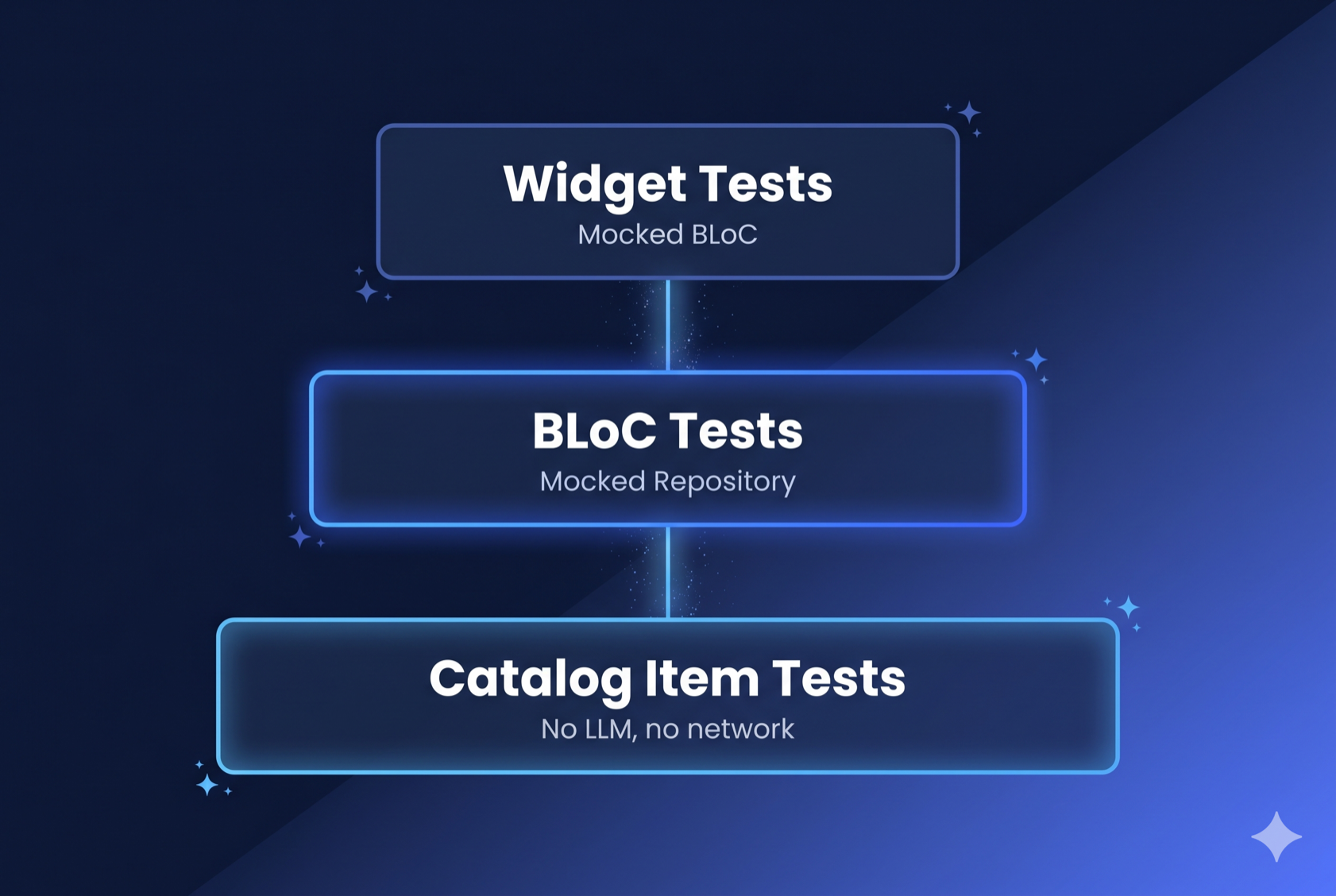
Because every layer is separated, every layer is independently testable. The test directory mirrors lib/ exactly:
test/simulator/
├── bloc/           # Bloc tests with mocked repository
├── catalog/items/  # Tests for all 26 catalog items
├── prompt/         # Prompt builder tests
└── view/           # Widget tests with mocked Bloc
Bloc tests mock the repository and verify state transitions using blocTest:
blocTest<SimulatorBloc, SimulatorState>(
  'SimulatorSurfaceReceived creates a new page',
  build: () {
    when(() => repository.events).thenAnswer((_) => Stream.empty());
    return SimulatorBloc(simulatorRepository: repository);
  },
  act: (bloc) => bloc.add(const SimulatorSurfaceReceived('surface-1')),
  expect: () => [
    SimulatorState(
      pages: [
        [const AiSurfaceDisplayMessage('surface-1')]
      ],
      currentPageIndex: 0,
    ),
  ],
);
Catalog item tests verify that each widget renders correctly from JSON data, without needing an LLM, a network connection, or the rest of the app.
Prompt tests verify the prompt builder produces correct output for different onboarding selections.
In the official sample, none of this is possible without rendering the entire TravelPlannerPage and intercepting network calls.
The Comparison
| Concern | Official Sample | VGV Architecture |
|---|---|---|
| AI client setup | Widget’s initState() | Repository constructor |
| Conversation state | ValueNotifier | SimulatorBloc with sealed events/states |
| GenUI plumbing | Inline in widget | SimulatorRepository |
| Rendering infrastructure | Created in widget | Page creates Catalog + SurfaceController, injects into repo and view |
| Domain events | Raw ConversationEvent | Sealed SimulatorConversationEvent |
| Display models | Mixed ChatMessage list | Sealed DisplayMessage hierarchy |
| Catalog | Inline in page | Separate catalog/ layer with per-item files |
| System prompt | String literal in widget | Dedicated PromptBuilder class |
| Presentation | One StatefulWidget | SimulatorPage (composition root) + SimulatorView (rendering) |
| Bloc purity | N/A | No GenUI imports — only plain Dart types in state |
| Unit testability | Widget tests only | Every layer independently testable |
| Custom widgets | Few, inline | 26 items, each in its own file with tests |
Want to see this architecture in action? Try the Life Goal Simulator live demo.
Key Takeaways
GenUI doesn’t need a special architecture. The LLM is a data source. The GenUI SDK is an API client. The repository pattern wraps it. Bloc manages state. Widgets render. The same principles that make traditional Flutter apps maintainable work here too.
The repository is the critical abstraction. GenUI introduces several interacting components — Conversation, A2uiTransportAdapter, PromptBuilder. The repository hides the conversation plumbing behind startConversation() and sendMessage(). Every dependency is injected: the ChatModel (so you can swap LLM providers), the Catalog and SurfaceController (rendering concerns owned by the presentation layer). When the SDK evolves (and it will), only one file changes.
Keep SDK types out of your Bloc. It’s tempting to thread SurfaceHost through Bloc state so the view can access it. But the Bloc shouldn’t know about GenUI’s rendering types. Instead, the Page — which is already the composition root — creates the SurfaceController and passes it to both the repository and the view directly.
Domain events create a seam. Translating GenUI’s internal events into your own sealed classes protects the rest of your app from SDK changes and makes the event flow explicit and exhaustive.
Catalog items deserve their own layer. In the Life Goal Simulator, each of the 26 financial widgets has a schema, a builder, and behavioral rules. Giving each its own file makes them independently testable and reusable across features.
Prompt engineering is code. The Life Goal Simulator’s PromptBuilder class treats system prompts and initial messages with the same rigor as any other module — separate files, testable functions, version-controlled alongside the catalog they reference.
Conclusion
The official samples are the right place to learn how GenUI works. This post covered how to architect around it. The two together give you everything you need to take Flutter’s GenUI SDK from prototype to production.
The Life Goal Simulator was built by Very Good Ventures. Check out the live demo and our Flutter engineering docs.