It turns out that GenUI is full of atoms, molecules, and organisms. You just need to know where to look.
One of the biggest challenges of GenUI is leaving behind the “old” mindset of designing and building “static” interfaces and user journeys in favour of providing building blocks for the LLM to assemble at runtime.
What do you hand over to the LLM? Give it too little and you’re barely using its power. Give it too much and you’ve surrendered control of your product’s interface to a system that doesn’t necessarily know what good design looks like.
Before diving in, though, keep in mind the often unspoken hypothesis of GenUI: The LLM can assemble in real-time an interface that is going to perform better than its static counterpart.
We’ll come back to this.
Atoms, Molecules, and Organisms in GenUI
Drawing from Atomic Design by Brad Frost, the components of a design system go from small to big: atoms, molecules, organisms and templates, all the way up to complete pages.
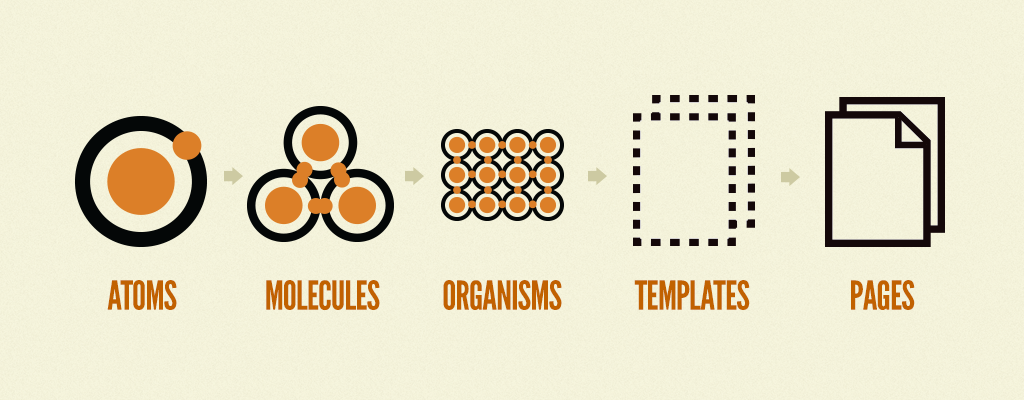
So how big should the building blocks that you feed to the LLM? Our best guess at this point is that most GenUI catalog items should hover between molecules and organisms.
Let’s walk through the scenarios:
- If you provide atoms to the LLM, you’re giving it a lot of freedom and responsibility — but you might end up with a disjointed, Mr. Potato Head looking interface. You’ll have little control over how the components are displayed on screen.
- But if you swing all the way to the other side and provide complete pages to the LLM, you’ve already made all the decisions. There’s little left for the LLM, which defeats the purpose of GenUI.
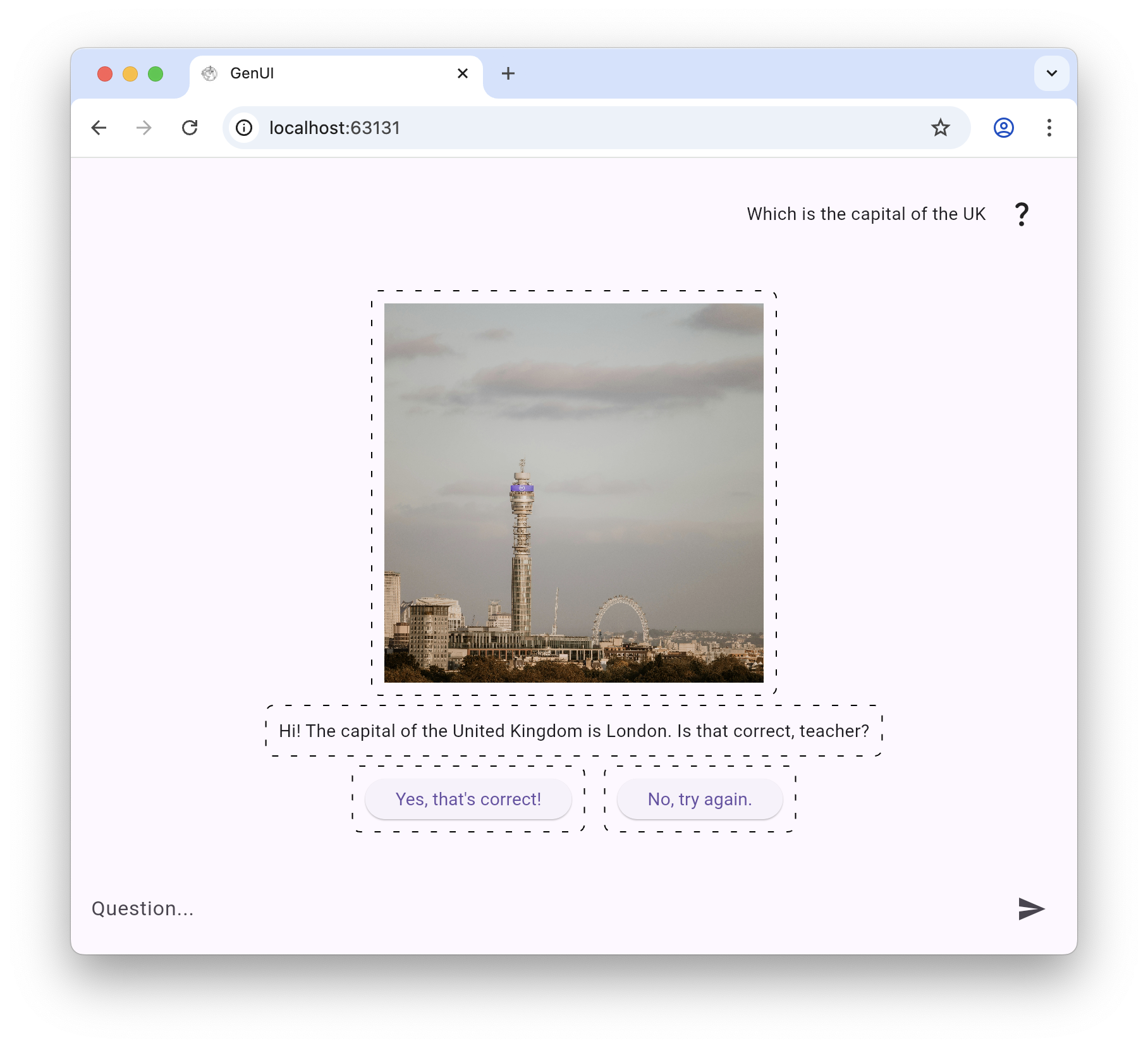
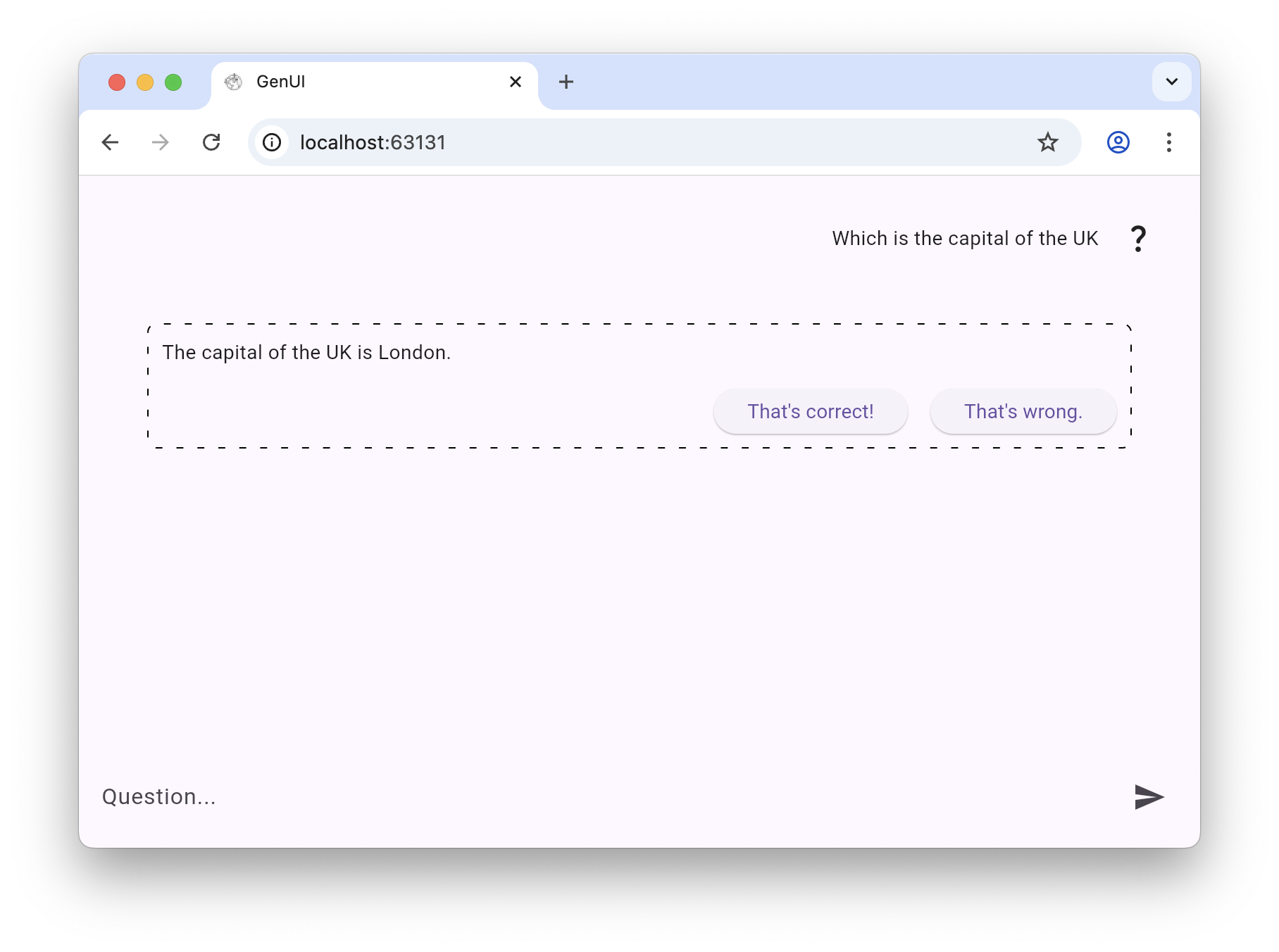
The images below display a GenUI application in which the LLM is tasked with being a secondary school student based in the UK. For demo purposes, individual catalog items have been highlighted with dashed borders.
In the first 2 images the LLM has been provided with a list of atoms: text, image and button.

For the second 2 images, we have added a “student answer” molecule that requires the LLM to fill it with the student’s answer (text only), and 2 CTAs so the teacher can mark up or down the answer.
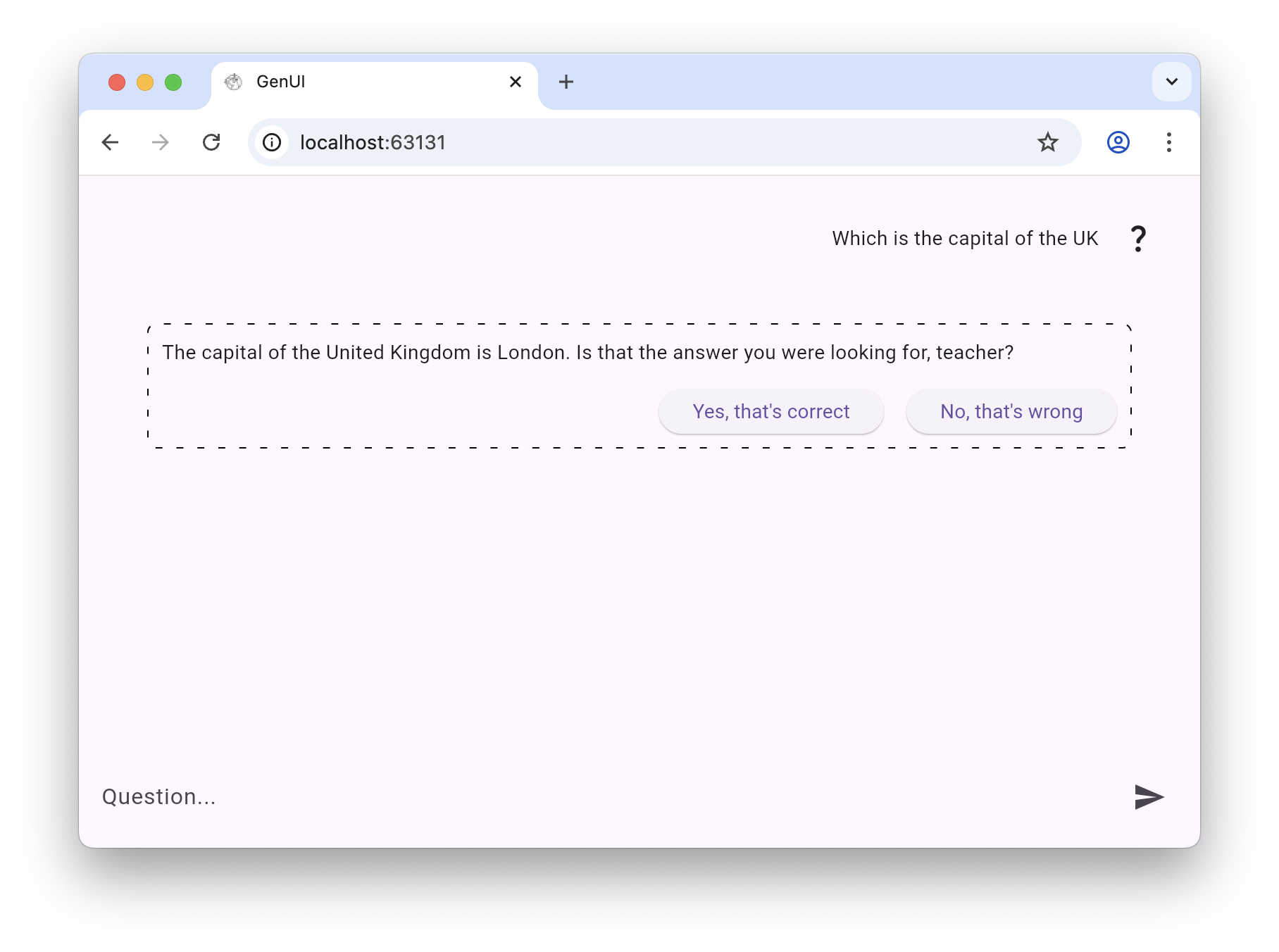
Let’s review the differences:
- In the atoms’ version there’re several individual catalog items on screen, as signaled by the components with dashed borders. In the molecules’ version there’s only 1 catalog item on screen.
- In the atoms’ version the LLM decides pretty much everything: the text, the order in which the catalog items are rendered, the alignment and whether to display an image or not. In the molecules’ the layout inside the molecule is fixed.
- In the atoms’ version the LLM chose to display feedback buttons. In the molecules’ version the LLM absolutely had to because the feedback buttons are part of the “student answer” molecule.
So let’s focus on molecules and organisms.
Molecules are relatively simple groups of UI elements functioning together as a unit. For example, a form label, search input, and button can join together to create a search form molecule. […] Organisms are relatively complex UI components composed of groups of molecules and/or atoms and/or other organisms. These organisms form distinct sections of an interface.
In the context of GenUI, a molecule catalog item for a search form guarantees consistency with your design and UX guidelines. The LLM still has the power to decide when and whether to display it. But if it does, it will look exactly as you want it to look.
Could the LLM assemble on its own a perfectly designed search form? Could it design an even better one? Theoretically, yes. But can you risk it?
From Design System to GenUI Catalog
Going from a design system to a GenUI catalog — and deciding how much of it to expose to the LLM — is a balancing act that’s going to take some trial and error. Expose too much and you risk the resulting interface looking like a disjointed rehash of your brand guidelines. Expose too little and you won’t be making the most of the LLM’s potential to adapt based on context.
Please note that you not only have to decide which components to expose to the LLM — you also have to decide which properties of each component the LLM is allowed to control. For a Text component, does the LLM choose size? Alignment? Colour? For a Card organism, can it adjust padding, elevation, or the number of action buttons? Each exposed property is an additional degree of freedom — and the same “too much vs. too little” tension applies.
Getting the catalog right isn’t a one-off decision — it’s an ongoing calibration as you learn how your LLM uses what you give it. Start with molecules and organisms as the default, watch what gets rendered and when, and adjust from there.
Can GenUI Outperform Static Interfaces?
Let’s wrap up with the big question. Can LLM-driven interfaces yield better metrics than the interfaces we’ve been designing and honing for decades?
As we have written before: “GenUI adapts layouts, actions, and content as conditions change […] The hard part isn’t personalizing. It’s doing it without overwhelming.”
This is the power of GenUI and the reason we believe it has the potential to create interfaces and user journeys that perform better than static ones.
Get in touch and let’s get building!