We rebuilt verygood.ventures from scratch. Not because our old site was broken, but because we needed a site that could move at the speed our team — and AI — now operates.
For years, our website ran on Webflow. It looked great, but making updates was slow, required specialized Webflow knowledge, and locked our content behind a proprietary visual editor. Every change to a blog post or landing page required someone who knew the platform’s quirks. For a company building cutting-edge software, our own website workflow felt stuck in the past.
AI changed the calculus. When your development partner can write code, generate content, and ship changes from a single prompt, the last thing you want is a visual editor standing between your team and a published update. We needed full code custody — a codebase any engineer (or AI assistant) could modify directly.
So we migrated to Astro, a modern static site generator that outputs zero JavaScript by default, supports markdown-driven content, and deploys to a global edge network. The result: a faster site, a simpler workflow, and a foundation built for the AI-native era.
This might be one of the fastest website migrations of this scale ever completed. The entire project — from first extraction to live site — took less than two weeks. The initial sprint from idea to a fully rebuilt site running on Cloudflare was roughly 5 days. The remaining time was spent on design refinement, cross-browser QA, and launch readiness. For a 309-page site with 1,189 images and 12 third-party integrations, that pace would have been unthinkable without AI as a development partner.
Our clients rely on us to be leaders at the forefront of technology capabilities, and we have always focused on learning by adopting the latest tools and techniques ourselves first. This effort is one of many steps to make VGV more “AI Native” which enables us to operate more effectively while developing expertise we can share with our partners and community.
David DeRemer, CEO @ Very Good Ventures
The Game Plan: A 3-Phase Migration
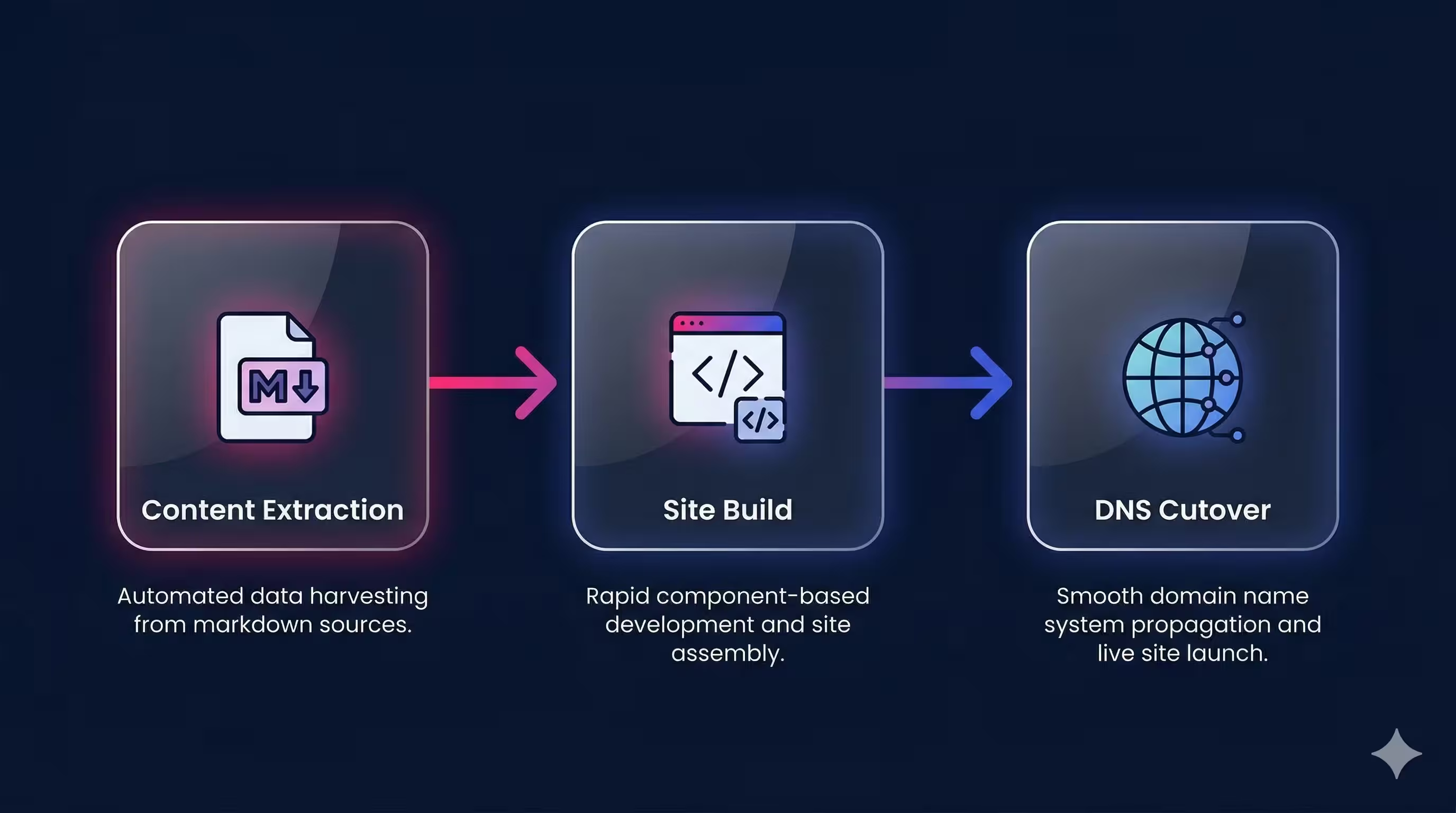
We structured the migration into three phases:
- Content extraction — Pull every page, image, and metadata field out of Webflow and into structured markdown files.
- Site build — Construct a production-ready Astro site matching the original design and SEO footprint.
- DNS cutover — Switch traffic from Webflow to Cloudflare Pages with zero downtime and zero broken links.
Each phase was designed to be independently verifiable: we could validate extraction completeness before building, and validate the build before going live. And throughout the entire process, Claude Code served as our development partner — writing extraction scripts, building components, and iterating on every detail. Claude also helped us plan and execute the Cloudflare deployment itself, providing detailed instructions for DNS configuration, Workers setup, caching rules, and the deployment pipeline — turning what could have been a nerve-wracking cutover into a well-documented, step-by-step process.
Phase 1: Extracting Content from Webflow
The first challenge was getting our content out. Webflow doesn’t make bulk export easy, so we used a hybrid approach: automated scripts for CMS-managed collections and AI-assisted extraction for static pages.
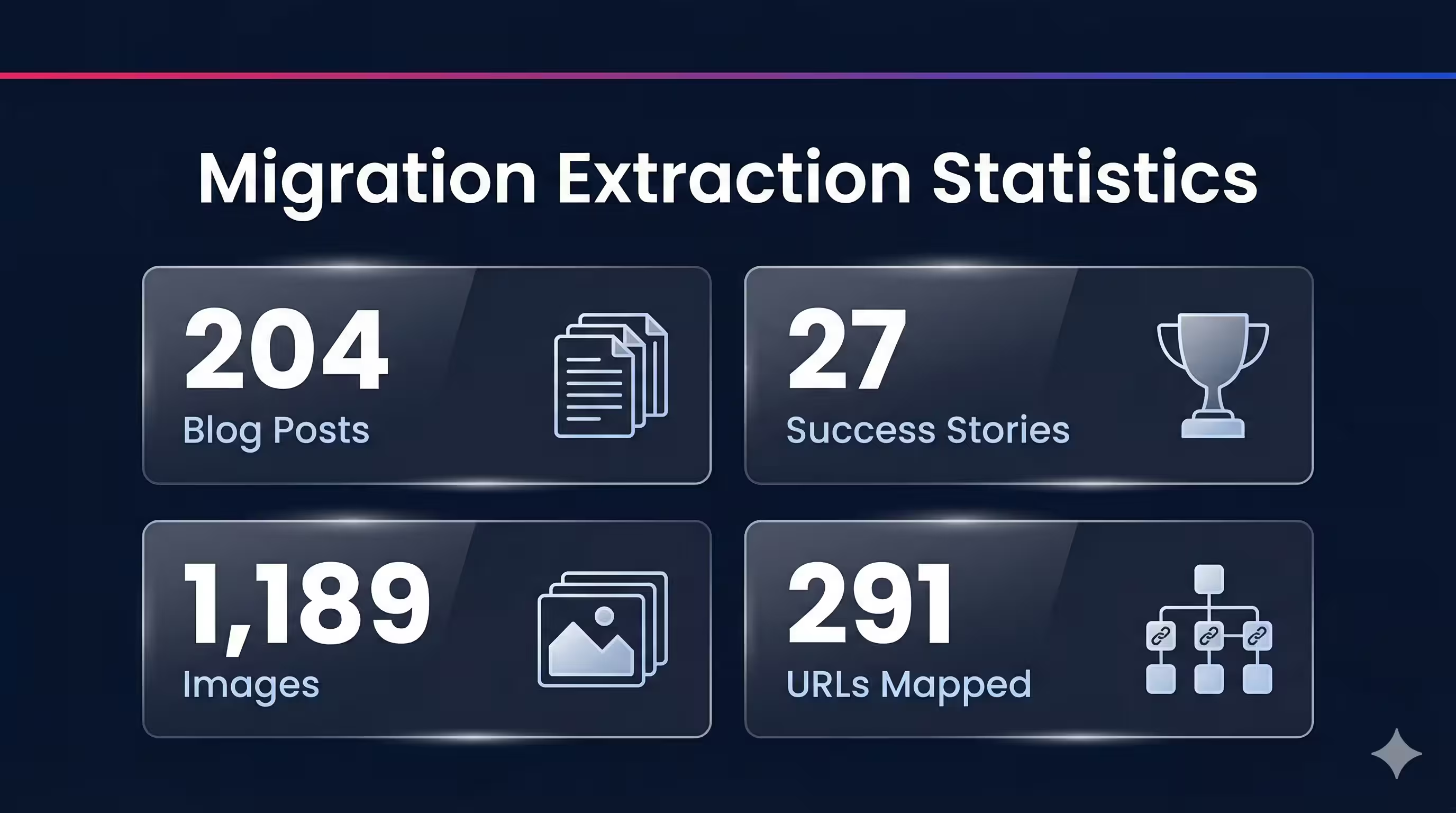
For the 204 blog posts, 27 success stories, 26 podcast episodes, and other CMS collections, we wrote Node.js scripts using Turndown and Cheerio to fetch each page’s HTML and convert it to clean markdown with structured frontmatter. The Webflow API gave us access to CMS fields — titles, slugs, publish dates, tags, and author references — which we mapped directly into typed frontmatter schemas.
For the 29 static pages (homepage, services, industries, about, etc.), we developed a multi-pass extraction protocol: first capturing page structure and navigation, then body copy, then all internal and external links, and finally media assets. This systematic approach ensured nothing was lost in translation.
Along the way, we downloaded 1,189 images and mapped 291 URLs from the original Webflow sitemap into a comprehensive manifest.
The extraction process also surfaced issues on the live Webflow site itself — broken links, missing metadata, content inconsistencies — that had gone unnoticed. Claude identified these on its own and fixed them as part of the migration, so the Astro site launched cleaner than the original.
The gotchas were real: JavaScript-loaded media was invisible to our scrapers, some Webflow CDN assets returned 403 errors, and inline links occasionally got stripped during HTML-to-markdown conversion. Each issue required a targeted fix, but the systematic phase structure meant we caught problems early and verified everything before moving on.
The initial extraction produced 301 typed markdown files with complete frontmatter — the 291 URLs plus partials and reusable content sections that didn’t have their own URLs. Critically, the extraction system we built wasn’t throwaway tooling. As new blog posts and pages were published on the live Webflow site during the migration, we re-ran the same scripts to pull them in seamlessly. By launch, the site had grown to 309 pages — and adding each new one was trivial.
Phase 2: Building the Astro Site
With content in hand, we built the site in methodical batches, starting from the foundation and working up to full feature parity.
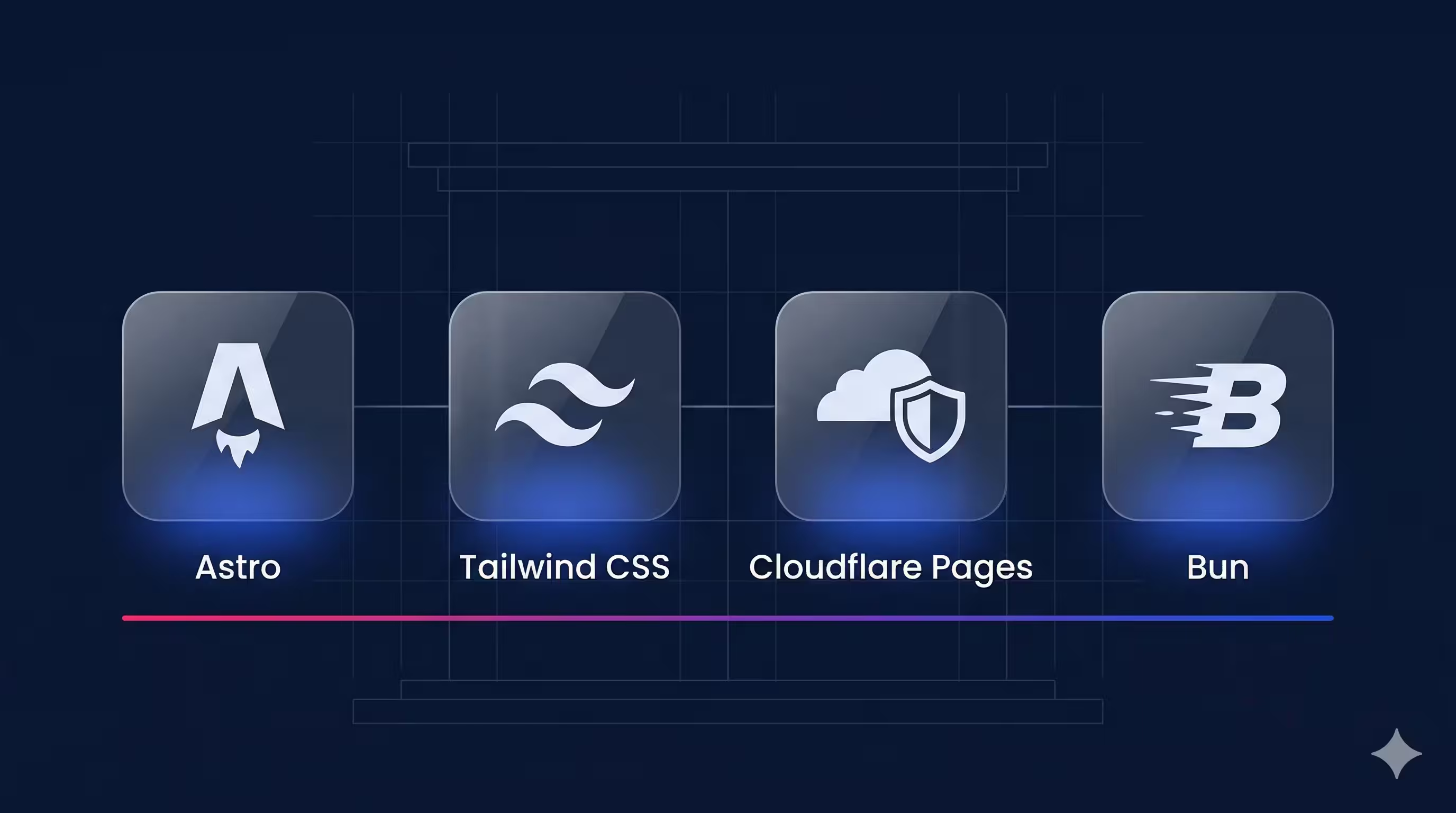
Tech stack: Astro 5, Tailwind CSS v4 with semantic color tokens, Cloudflare Pages for hosting, and bun as our JavaScript runtime.
Tooling for accuracy: A key challenge with AI-assisted development is ensuring the code targets the latest APIs, not patterns from stale training data. We solved this with MCP servers and developer tooling: the astro-docs MCP server gave Claude real-time access to Astro’s current APIs and configuration options, Context7 provided up-to-date documentation for the full stack, and Anthropic’s TypeScript LSP caught type errors as Claude wrote code. This combination meant Claude was always building against the latest features — not guessing based on older versions.
Content architecture: We defined 7 content collections — blog, success stories, podcasts, whitepapers, webinars, pages, and partials — each with a Zod-validated schema. This means every markdown file is type-checked at build time. A missing required field or an invalid date format fails the build immediately, not silently in production.
Component design: We built 30+ reusable Astro components covering everything from hero sections and card grids to podcast players and HubSpot form embeds. For animations, we made an intentional choice: vanilla CSS and JavaScript instead of React islands. Our FadeIn and StaggerChildren animation components weigh roughly 300 bytes — compared to the ~45KB a React-based alternative would have added.
Integration wiring: Claude detected the 12 third-party services embedded in our Webflow site automatically — Google Tag Manager, HubSpot (forms and tracking), Greenhouse (job listings), Iubenda (cookie consent), YouTube, and others. Rather than blindly porting old embed snippets, Claude reviewed each service’s latest integration documentation and implemented them using current best practices. The result: integrations that weren’t just migrated, but modernized. Custom remark plugins handle video embeds and audio players directly in markdown — authors write a simple syntax, and the build pipeline handles the rest.
Visual fidelity: Throughout the build, we used Claude Code to compare the Astro output against the live Webflow site — catching visual discrepancies, missing content, and layout differences as we went. When something looked off, we could simply ask Claude to compare what it built with the original and fix the gap. This turned visual QA from a manual side-by-side exercise into a continuous, conversational process.
SEO preservation: This was non-negotiable. Every page carries JSON-LD structured data (Organization, Article, BreadcrumbList schemas), canonical URLs, and verified meta descriptions. The auto-generated sitemap produces 307 URLs. We validated all of this programmatically before launch.
The final build: 0 TypeScript errors, 0 broken internal links, and 309 pre-rendered pages deployed to Cloudflare’s global edge network.
Phase 3: DNS Cutover
The moment of truth. The time where all the traffic was routed to the new site. Moments like this tend to go horribly wrong… but not this time!
In fact, since we launched the site already a few weeks ago, we’ve been focusing on further improvements and performance on our site and content creation, and never looked back. WebFlow is now legacy. Astro and Claude are VGV’s present and future.
The AI-Native Workflow
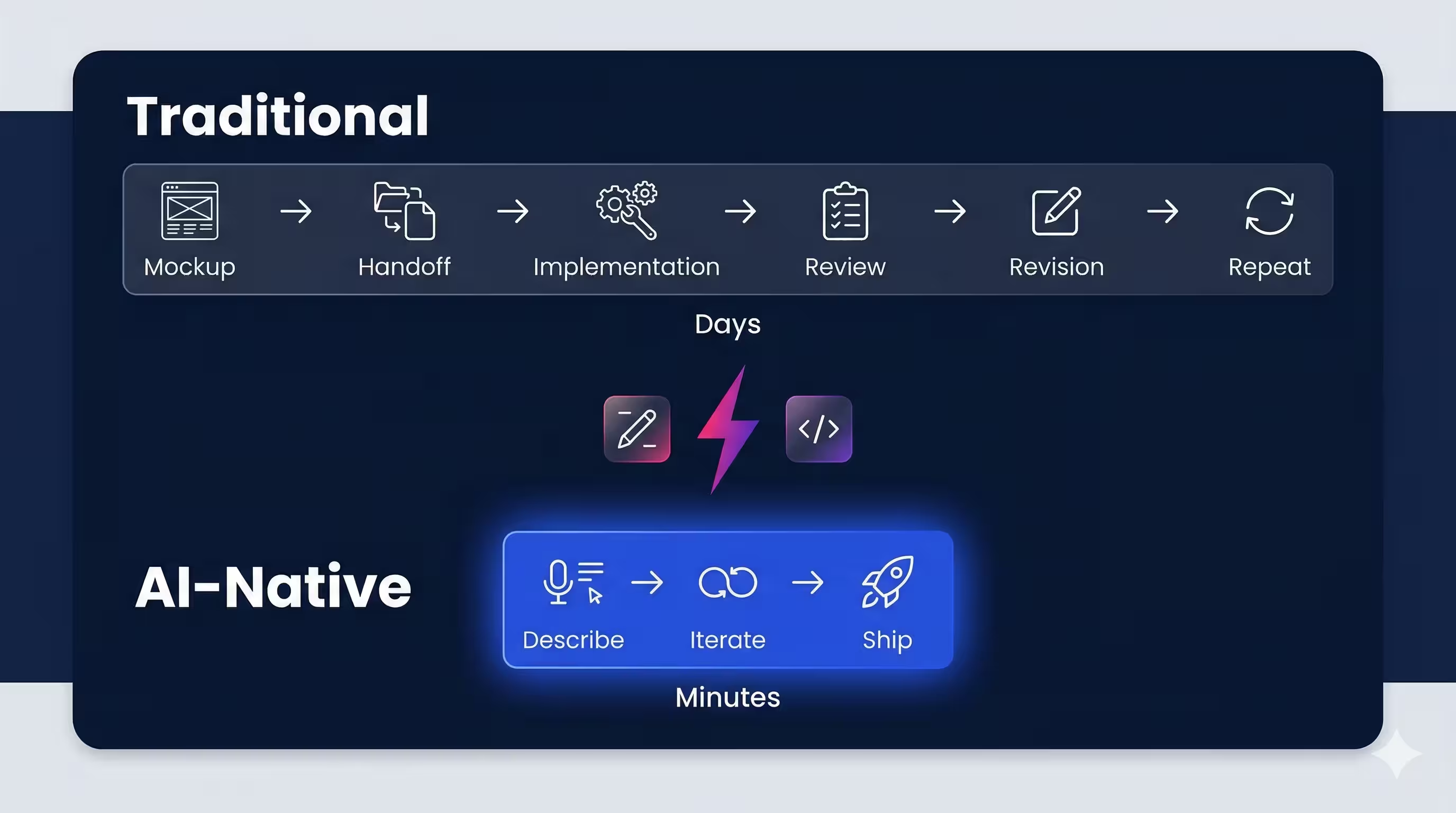
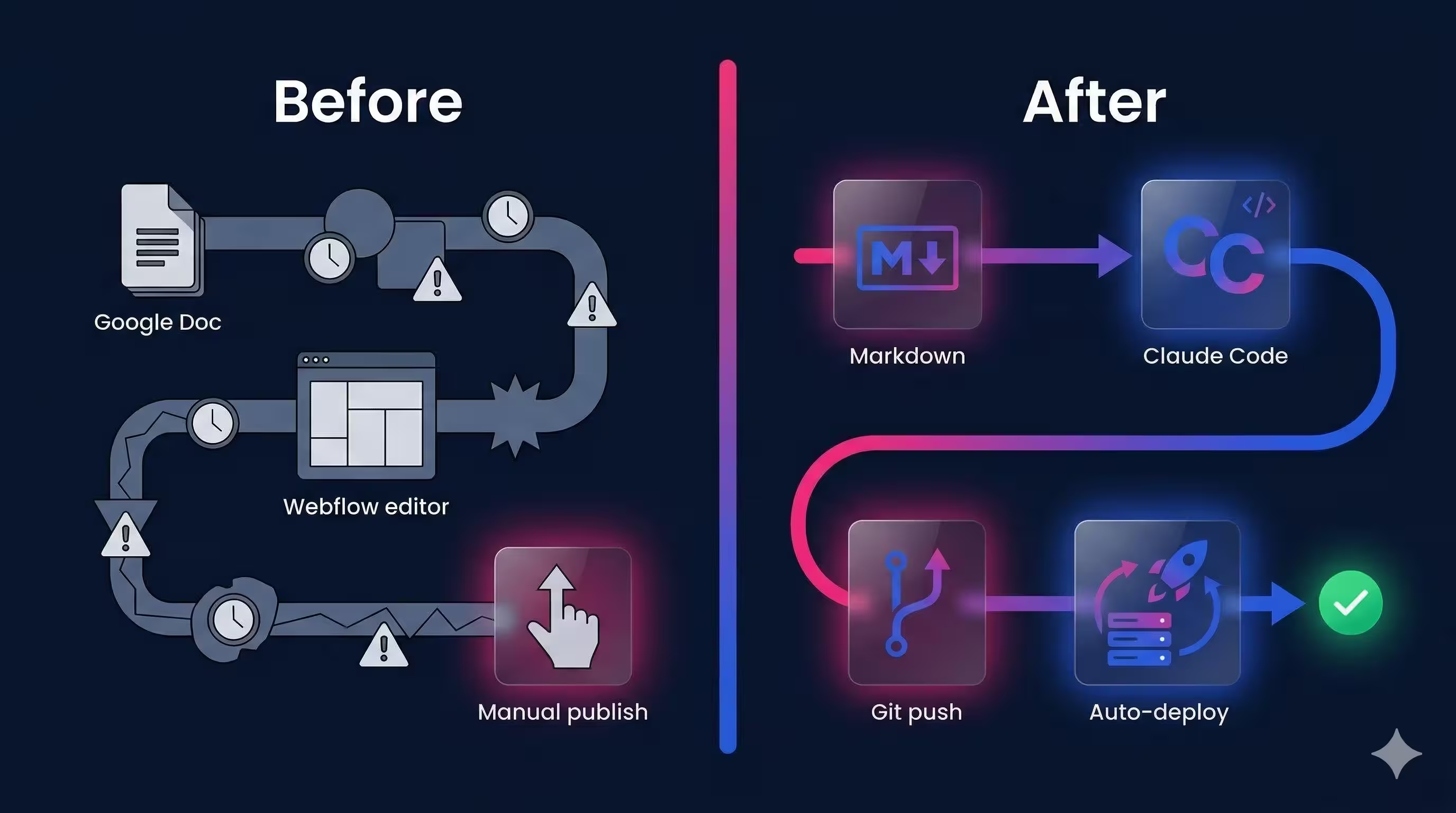
Here’s the real shift. Our old Webflow workflow looked like this:
- Write content in a Google Doc
- Hand it to someone who knows Webflow
- Wait for them to re-enter it, format it, and publish
- Hope nothing breaks in the visual editor
Our new workflow:
- Write (or generate) a markdown file
- Work with Claude Code to integrate and adjust design
- Commit and push
- Cloudflare deploys automatically
Any team member — engineer, designer, marketer — can update the site by editing a markdown file. No Webflow expertise required. And with Claude Code, changes are literally a prompt away: “Add a new blog post about X” or “Update the homepage hero copy” produces a working commit in seconds.
The biggest shift isn’t the technology, it’s the operating model. When your entire team can ship changes through markdown and a conversation with AI, you eliminate the bottleneck of specialized platform knowledge. Engineers focus on architecture, designers iterate directly on the product, and content authors publish without waiting in a queue. For any company still tied to a proprietary CMS, the question isn’t whether to make this move, it’s how much velocity you’re leaving on the table by waiting.
Jorge Coca, Head of Engineering @ Very Good Ventures
Designers in the Driver’s Seat
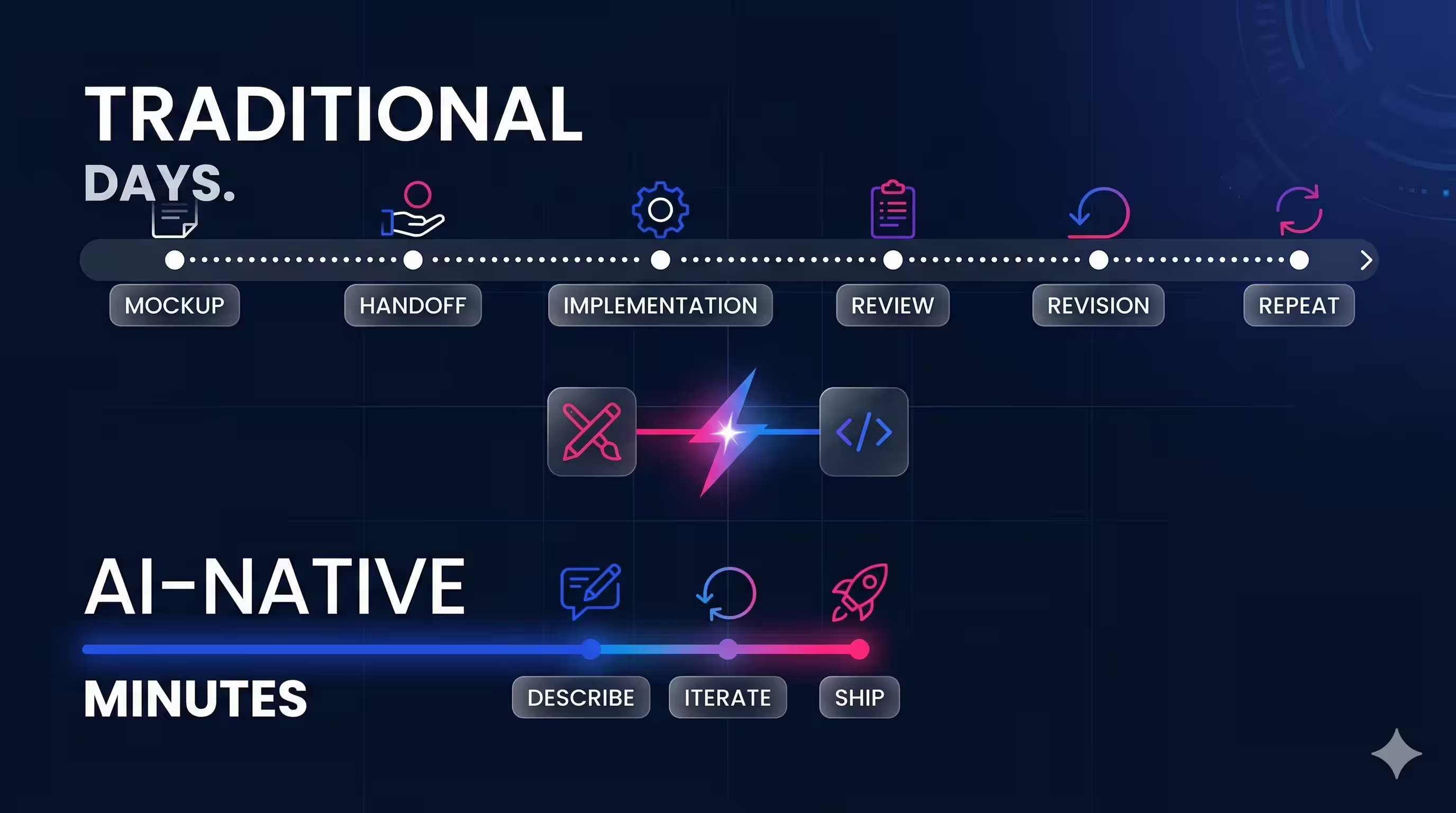
One of the most unexpected wins was how our designers used Claude Code to iterate on the site’s design directly. Instead of the traditional cycle — designer creates a mockup, hands it to an engineer, waits for implementation, reviews, requests changes, repeat — our designers could describe what they wanted and refine it in real time.
Spacing adjustments, typography tweaks, color token changes, component layout refinements — all of it happened in conversation with Claude Code, not in a ticket queue. Designers could see their changes reflected in code immediately, test them in a browser, and keep iterating until the result matched their vision. The design-to-implementation feedback loop collapsed from days to minutes.
This matters because it shifts who has agency over the final product. When designers can directly shape the output without needing to coordinate with engineers for every visual detail, the entire team moves faster — and the result is more faithful to the original design intent.
What’s changing isn’t just speed… how design and development work together. We’re moving from creating static outputs to orchestrating living systems, where design and development happen in tandem. With AI as a collaborator, designers can shape, test, and refine directly in the product, creating a more fluid workflow that benefits the entire team.
Joshua Wells, Commercial Strategy Designer @ VGV
A Learning System That Compounds
Early in the migration, we introduced a simple but powerful practice: we had Claude Code maintain a markdown “lessons learned” file, recording every unique gotcha, edge case, or non-obvious solution it discovered along the way. Webflow CDN returning 403s on certain asset URLs? Documented, with the workaround. Inline links getting stripped during HTML-to-markdown conversion? Documented, with the fix.
This file became a living reference that Claude consulted at the start of every session. When it encountered a similar situation later — a new batch of pages with the same CDN issue, for example — it already knew the solution. What would have been a repeated debugging cycle became an instant, automatic fix.
The effect compounded over the course of the migration. One-off discoveries turned into reusable patterns. Edge cases that tripped us up in batch 1 were handled silently in batch 7. The learning system turned Claude Code from a capable tool into one that got measurably better at our specific project over time — a form of institutional knowledge that persisted across sessions.
Performance Wins
Moving from Webflow’s runtime rendering to Astro’s static output brought dramatic performance improvements:
- Zero JavaScript by default — Astro only ships JS for components that explicitly need client-side interactivity
- 309 pages pre-rendered at build time — no server-side rendering, no hydration delays
- Cloudflare’s global edge network — static HTML served from the nearest data center worldwide
- Full version control — every change tracked in git, every deploy reproducible
Where Webflow injects its own runtime scripts, analytics wrappers, and interaction handlers on every page, our Astro site serves clean HTML and CSS. The difference in time-to-interactive is significant.
QA at Scale with AI
With 309 pages to validate across multiple browsers and viewports before launch, manual QA wasn’t realistic. So we turned to Claude Code again — this time as an autonomous QA engineer.
One of our engineers, whose primary expertise isn’t web development, set up a Claude Code agent with a product requirements document describing what needed to be tested. From there, the agent worked autonomously. It wrote 22 Playwright test suites covering URL crawls, SEO audits, visual regression, accessibility checks, navigation flows, and form submissions. It then ran over 1,500 tests across Chromium, Firefox, and WebKit at mobile, tablet, and desktop viewports — capturing 374 screenshots for visual comparison.
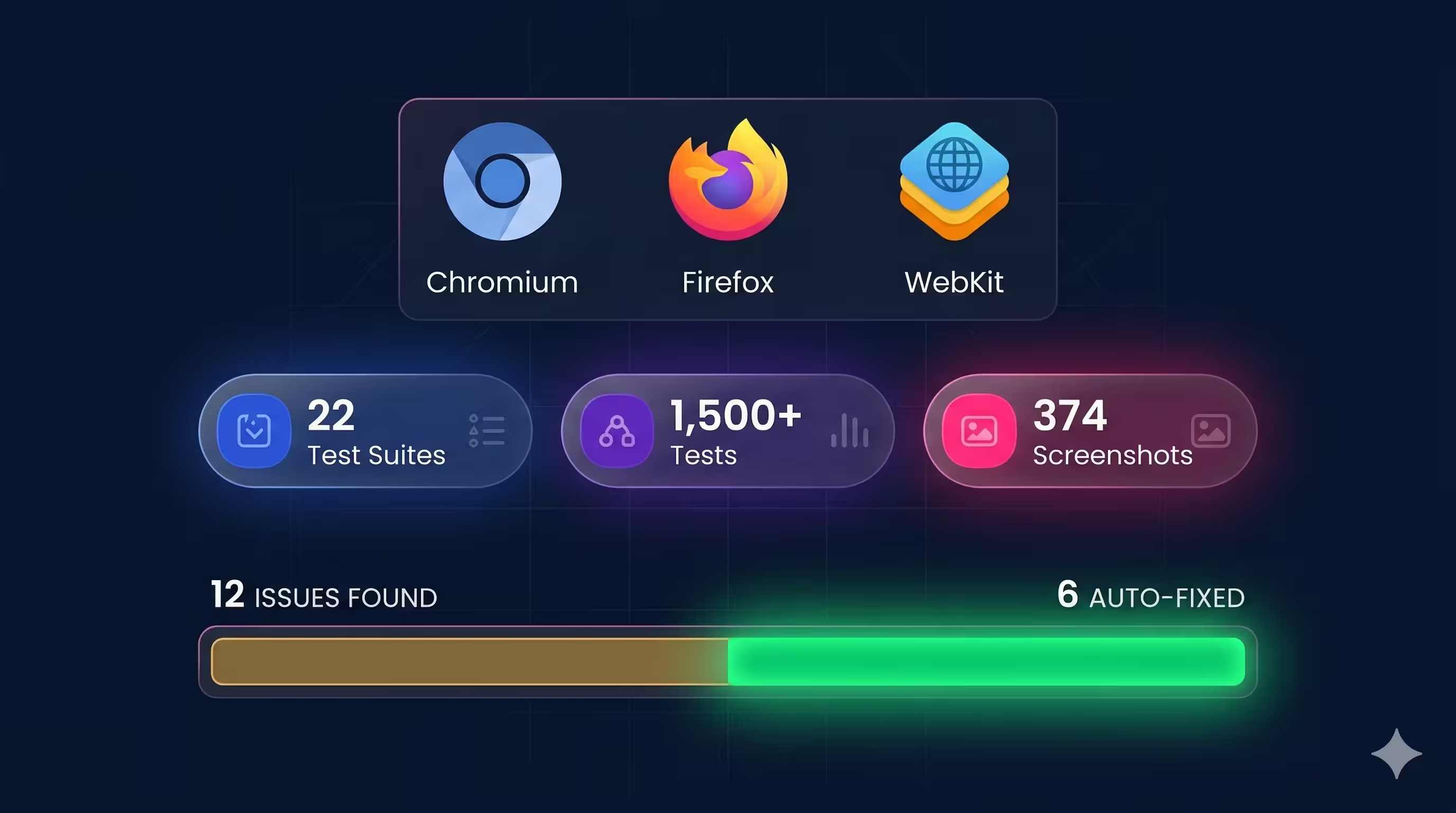
The results were thorough: 12 issues documented with severity ratings, the specific URL, browser, viewport, and screenshot evidence for each. Issues ranged from missing meta tags (something the engineer noted they wouldn’t have thought to check themselves) to layout inconsistencies at specific breakpoints.
But the process didn’t stop at finding problems. A second Claude Code agent spun up on an isolated git worktree, triaged all 12 findings, and fixed 6 of them automatically — producing a clean pull request. The remaining 6 were correctly classified as out of scope: upstream HubSpot rendering issues, redirect rules that only work on the live Cloudflare environment, or changes too complex for an automated fix.
The total human investment: about 30 minutes writing the PRD and configuring the setup. The “finder” agent ran for roughly 2 hours. The “solver” agent ran for 14 minutes. What would have taken days of manual cross-browser testing was handled overnight, and the engineer who ran it gained confidence in areas outside their core expertise.
This is what AI-native QA looks like: not replacing human judgment, but extending it to a scale and thoroughness that wouldn’t be practical otherwise.
What’s Next
The migration is complete. All three phases — content extraction, site build, and DNS cutover — are done. Every URL from the original Webflow site now resolves to its Astro equivalent or a proper redirect, preserving SEO equity with zero broken links.
But the migration itself was never really the point. The point is what comes after: a website that evolves at the speed of thought, where any team member can ship changes with confidence, and where AI isn’t bolted on as an afterthought — it’s woven into how we build.
In the digital agency world, it’s all about creating timely content that’s relevant to our clients and prospects as quickly as possible. Before this new website existed, we relied on creating custom PDFs for our clients, as that gave us full creative control. With this new experience, however, we can create custom briefing pages that showcase digital visions, trends, and insights—not just for our clients, but for our prospects as well—and we can do it almost instantly. This enables us to produce content-rich pages, each personalized to a client and tailored specifically to their business and technical situation.
Additionally, in our old setup, our process was weighed down by red tape. We had to coordinate with our craftspeople, extract their insights, and translate those into market-ready thought pieces. With this new setup, we can train our craftspeople to use Claude directly, effectively giving each of them a megaphone to share their thought leadership. This dramatically accelerates the pace at which we can share trends and technical insights with our audiences.
Nate Wootten, Chief Strategist Officer @ VGV
Now that the foundation is in place, we’re exploring what else becomes possible: richer interactive content, deeper personalization, and continued experimentation with AI-driven workflows across design, development, and QA.
If your team is considering a similar move away from a proprietary CMS, our advice is simple: start with content extraction, validate obsessively, and build incrementally. The tools are ready. The workflows are proven. And the performance gains speak for themselves.
We’re excited about what’s next — and we’ll keep sharing what we learn along the way.